Schneller finden, präziser recherchieren.
Von Easy Search bis wissenschaftlichem Search Builder: CareLit passt sich der Aufgabe an und bleibt auch bei komplexen Strategien verständlich.
CareLit bündelt deutschsprachige Fachzeitschriften für Pflege, Therapie, Hebammenwesen und Gesundheitsberufe: suchen, verstehen, speichern, exportieren, lehren, administrieren und mit KI weiterdenken.

CareLit ist nicht nur eine Trefferliste. Die App deckt den kompletten Weg ab: von der ersten Frage über Quellenprüfung und Volltext bis hin zu Reader, Kursraum, Statistik und KI-gestützter Literaturarbeit.
Von Easy Search bis wissenschaftlichem Search Builder: CareLit passt sich der Aufgabe an und bleibt auch bei komplexen Strategien verständlich.
Favoriten, Literaturlisten, Reader, PDF-Download und Exporte machen aus Fundstellen sofort verwendbare Arbeitsmaterialien.
Livia, Clinical CareLit, Inhaltsanalyse und Zusammenfassungen unterstützen die Quellenarbeit, ohne die Nachvollziehbarkeit zu verlieren.
Ein erster Blick auf die Funktionen, mit denen CareLit im Alltag am meisten glänzt.
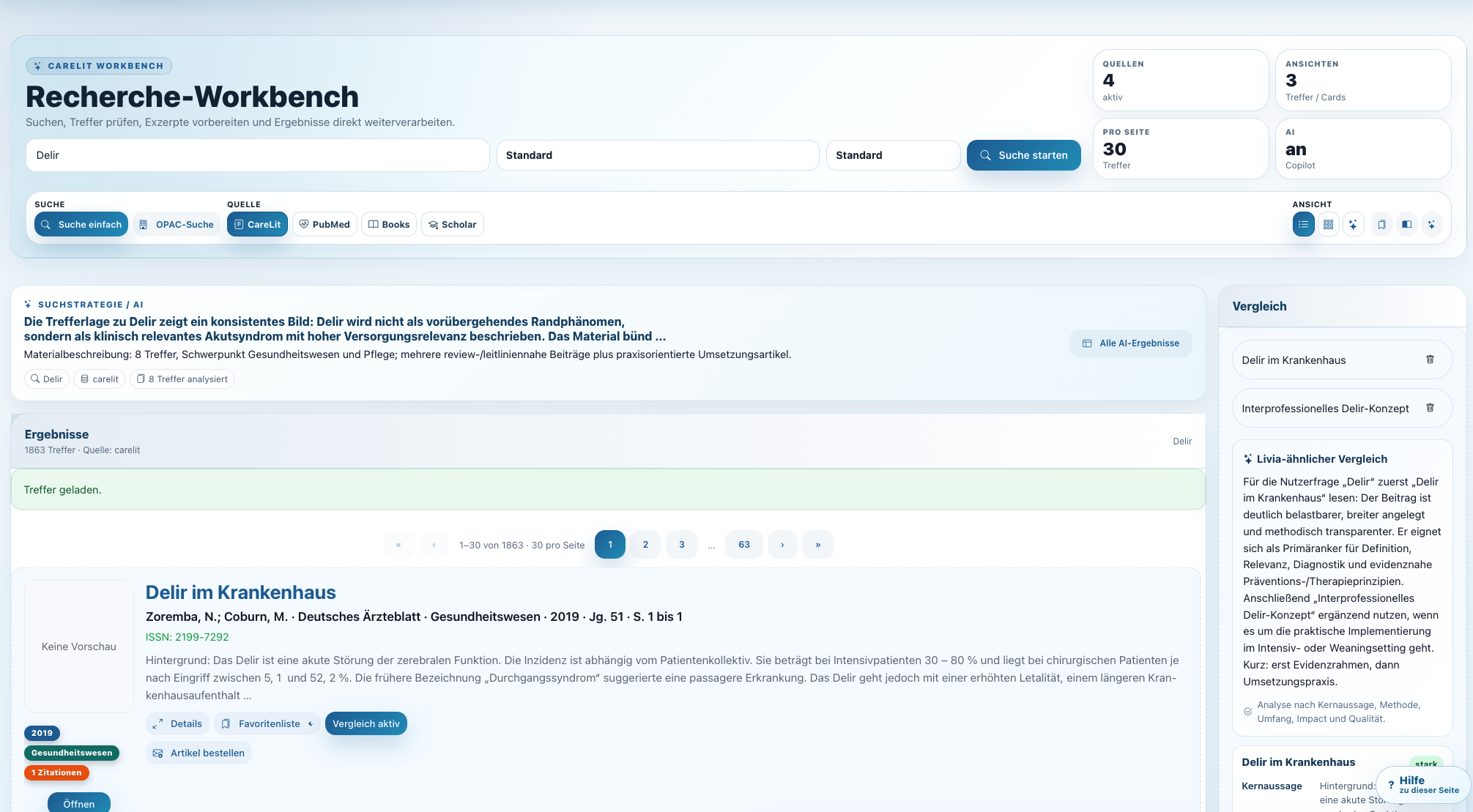
Die Workbench verbindet Suche, Trefferliste, Detailansicht und KI-Unterstützung in einem Arbeitsbereich. Ideal für alle, die aus einer Fragestellung schnell eine belastbare Literaturbasis machen wollen.
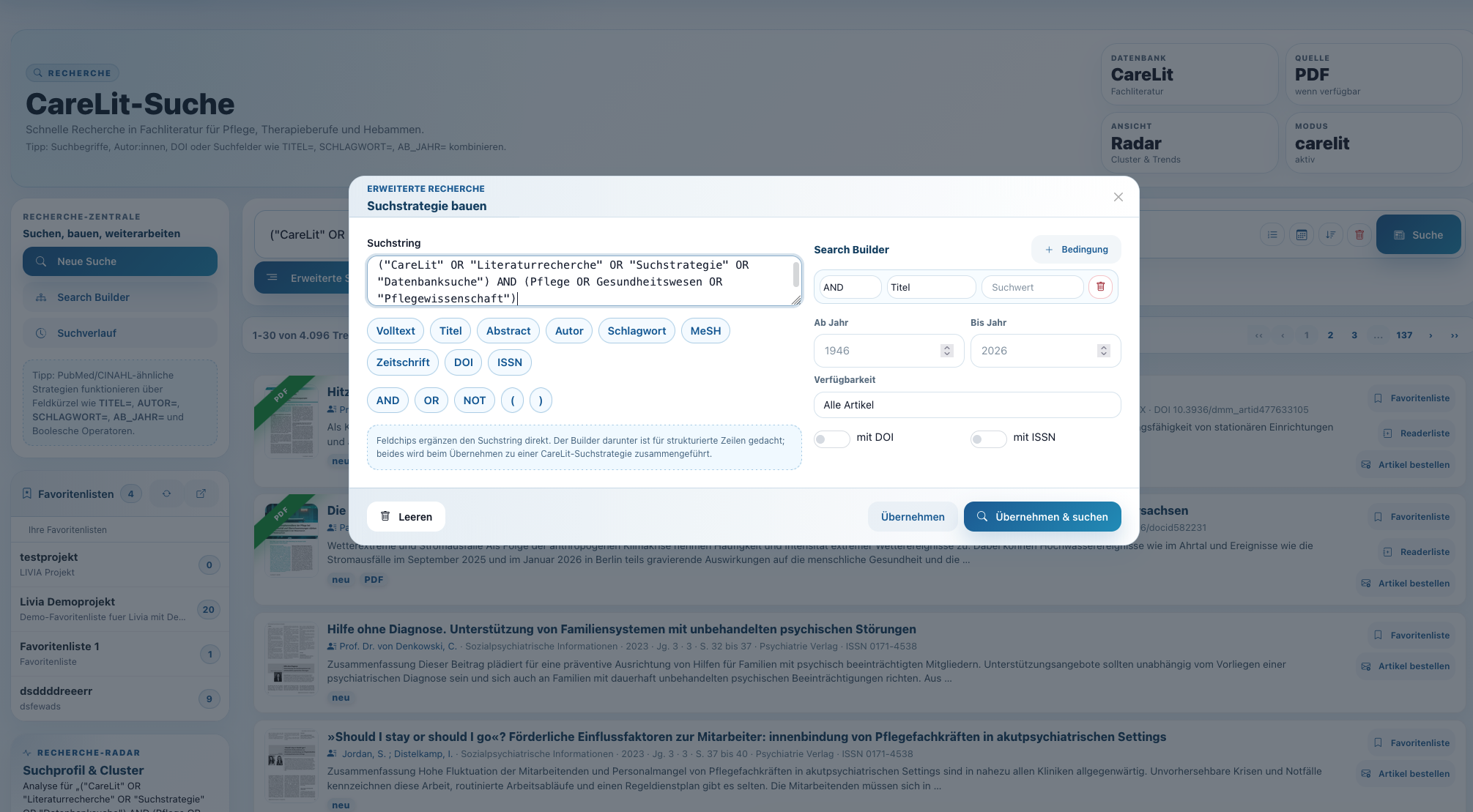
Mit Feldsuche, Boolescher Logik und Search Builder lassen sich auch anspruchsvolle Recherchen sauber formulieren. CareLit macht sichtbar, wie aus Suchbegriffen eine reproduzierbare Strategie wird.
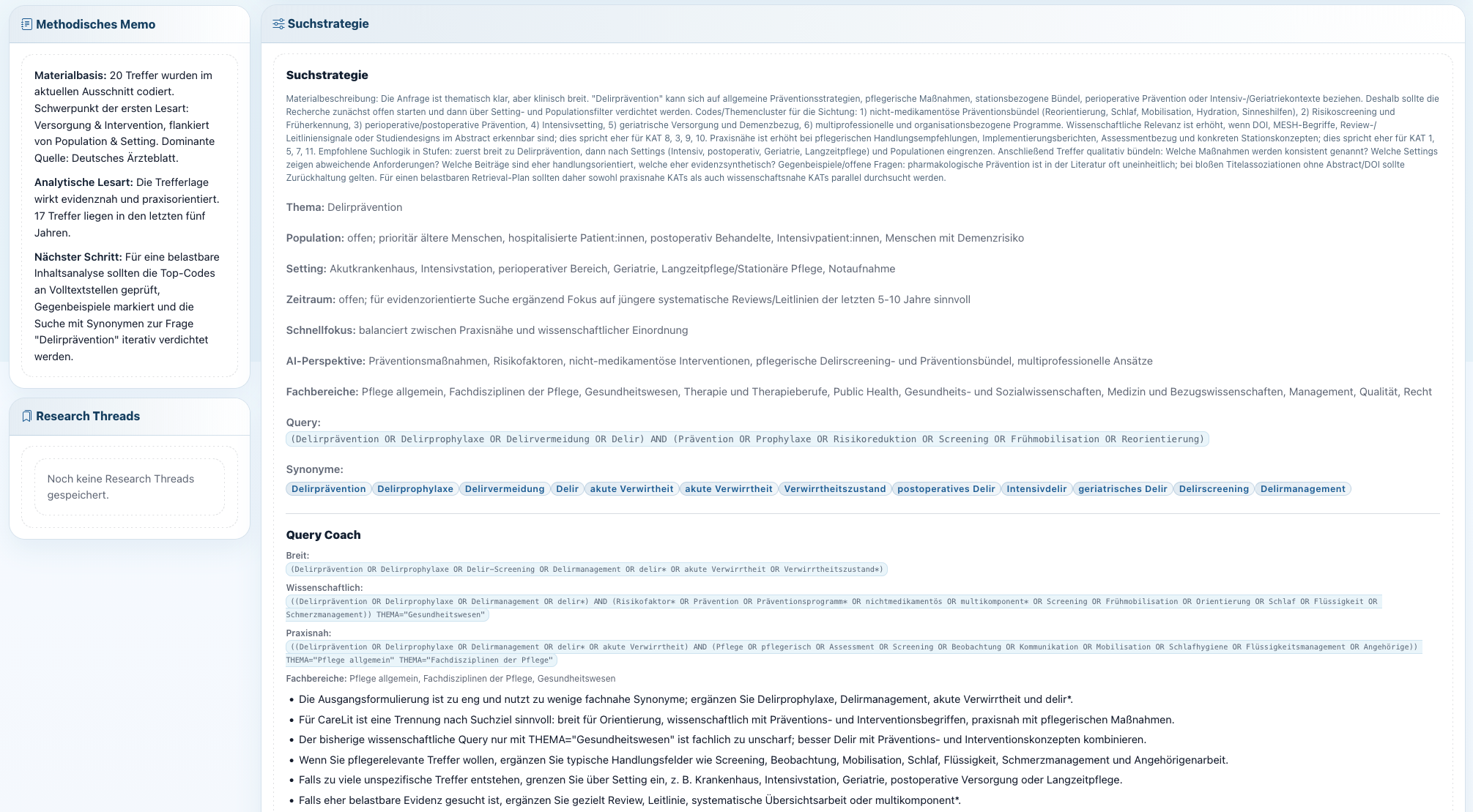
Die Analyse zeigt, welche Bausteine eine Recherche steuern. Das hilft bei Lehre, Studienarbeiten und professioneller Recherche, weil Suchlogik nicht im Nebel verschwindet.
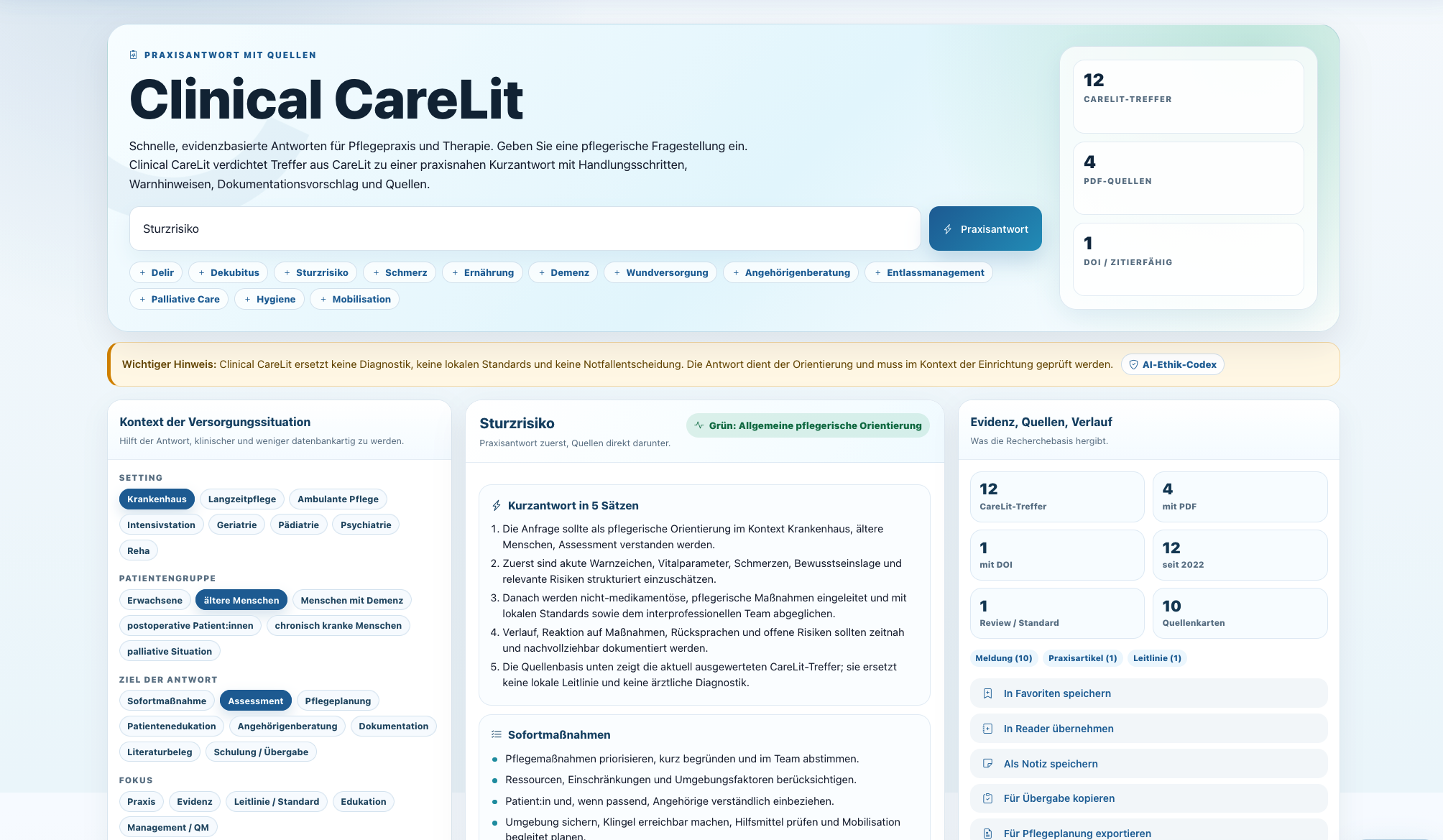
Clinical CareLit ist für die schnelle Orientierung in Pflegepraxis und Therapie gedacht: Frage stellen, Handlungsschritte sehen, Warnhinweise beachten und die Quellenbasis direkt prüfen.
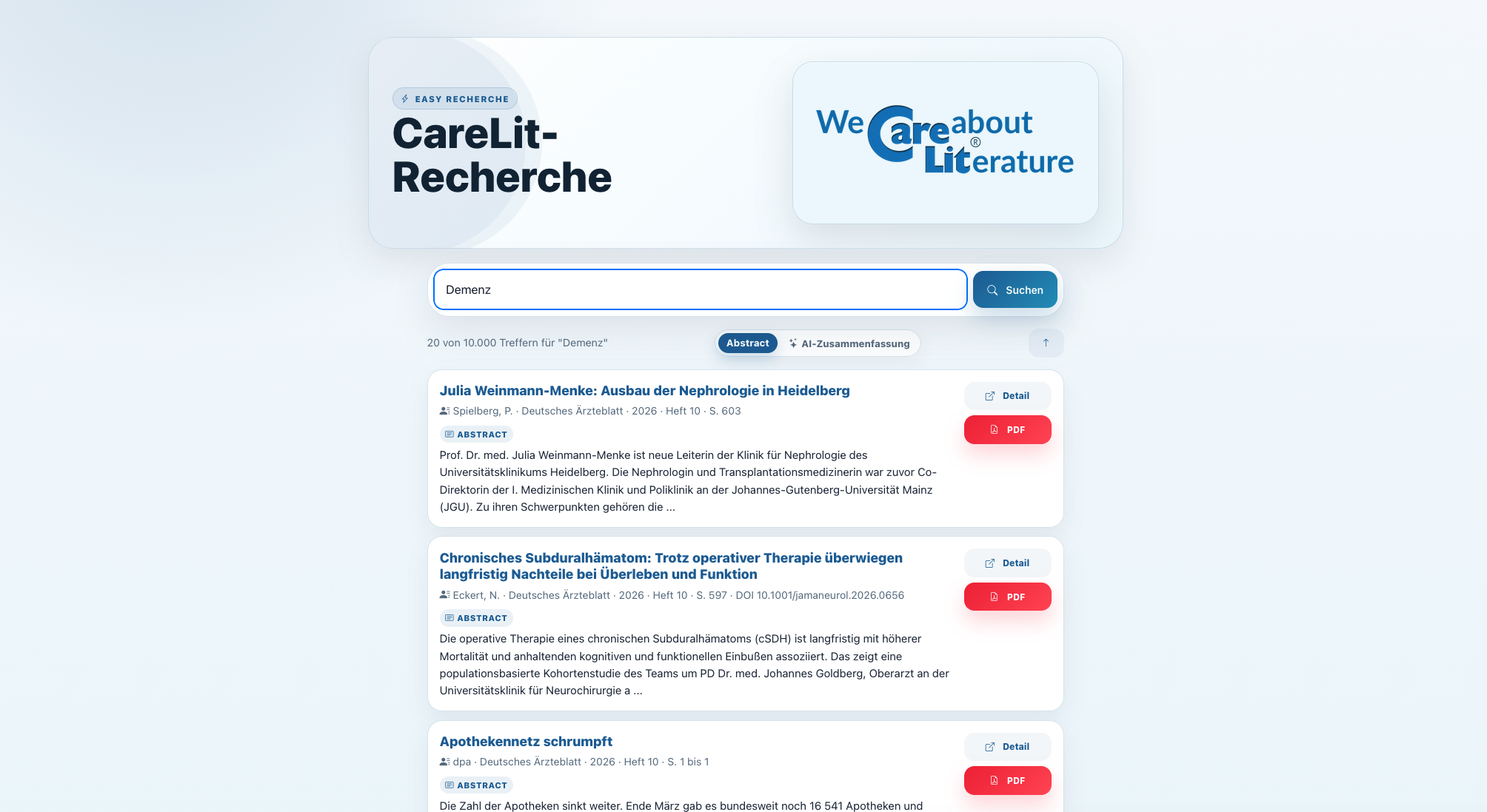
Die reduzierte Easy-Oberfläche bringt CareLit auf Smartphone und Tablet in eine besonders einfache Form. Weniger Oberfläche, mehr Treffer, schneller Zugriff.
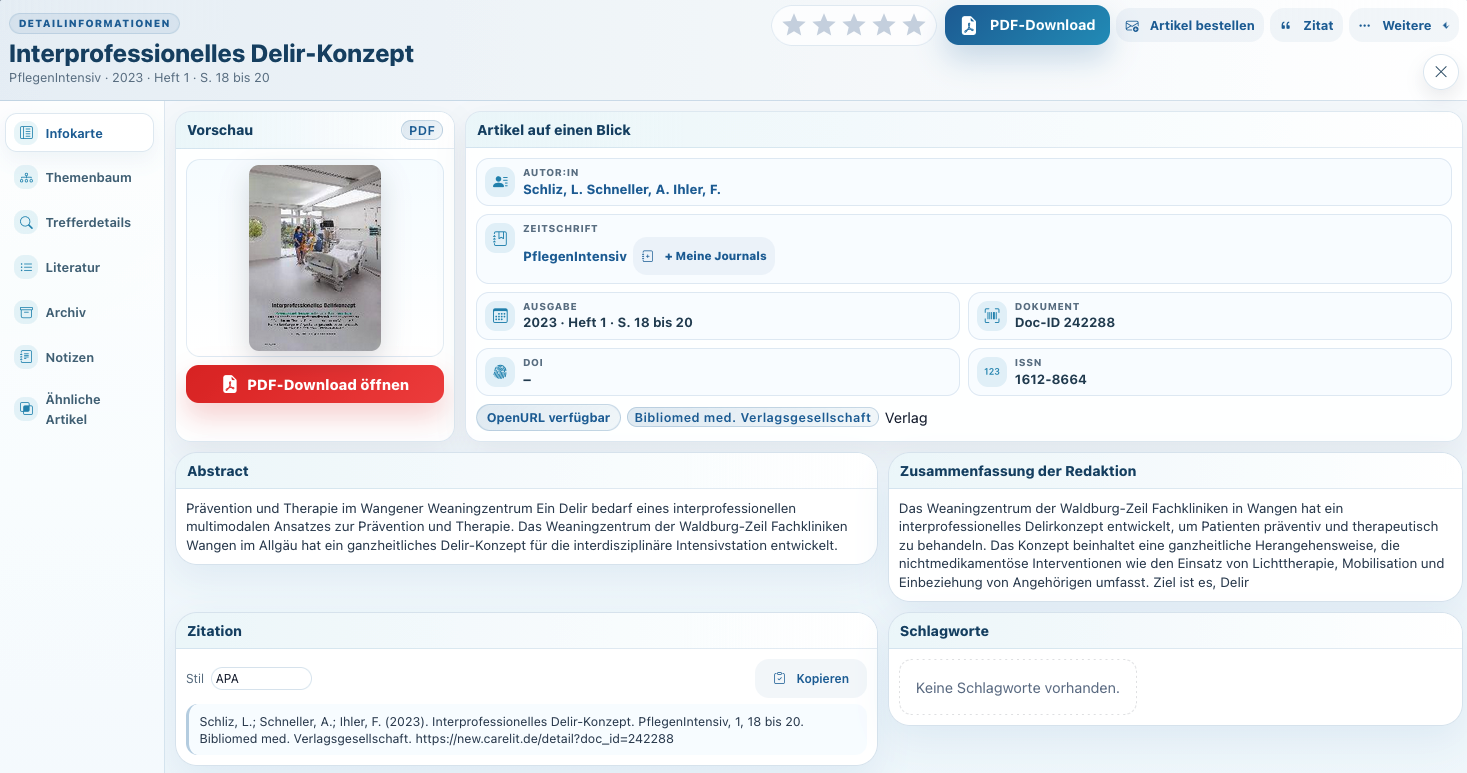
Die Infokarte zeigt Abstract, bibliografische Angaben, Volltextstatus, Aktionen und Kontext. Nutzer:innen bleiben im Recherchefluss und können trotzdem tief in die Quelle einsteigen.
Alle zentralen Funktionen von CareLit in einer modernen Übersicht. Ein Klick auf eine Abbildung öffnet die Ansicht groß im Fenster.
Die Workbench verbindet Suche, Trefferliste, Detailansicht und KI-Unterstützung in einem Arbeitsbereich. Ideal für alle, die aus einer Fragestellung schnell eine belastbare Literaturbasis machen wollen.
Mit Feldsuche, Boolescher Logik und Search Builder lassen sich auch anspruchsvolle Recherchen sauber formulieren. CareLit macht sichtbar, wie aus Suchbegriffen eine reproduzierbare Strategie wird.
Die Analyse zeigt, welche Bausteine eine Recherche steuern. Das hilft bei Lehre, Studienarbeiten und professioneller Recherche, weil Suchlogik nicht im Nebel verschwindet.
Clinical CareLit ist für die schnelle Orientierung in Pflegepraxis und Therapie gedacht: Frage stellen, Handlungsschritte sehen, Warnhinweise beachten und die Quellenbasis direkt prüfen.
Die reduzierte Easy-Oberfläche bringt CareLit auf Smartphone und Tablet in eine besonders einfache Form. Weniger Oberfläche, mehr Treffer, schneller Zugriff.
Die Infokarte zeigt Abstract, bibliografische Angaben, Volltextstatus, Aktionen und Kontext. Nutzer:innen bleiben im Recherchefluss und können trotzdem tief in die Quelle einsteigen.
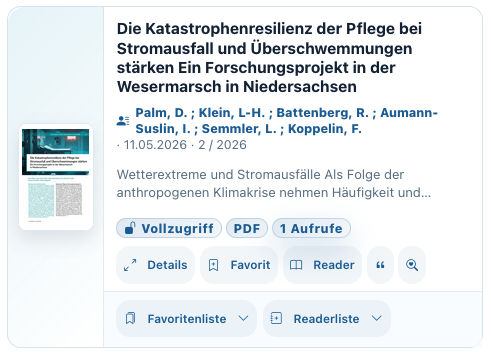
Badges, Kurzinfos und direkte Aktionen machen die Trefferliste produktiv. Favorit, Reader, Details oder ähnliche Recherche sind nur einen Klick entfernt.
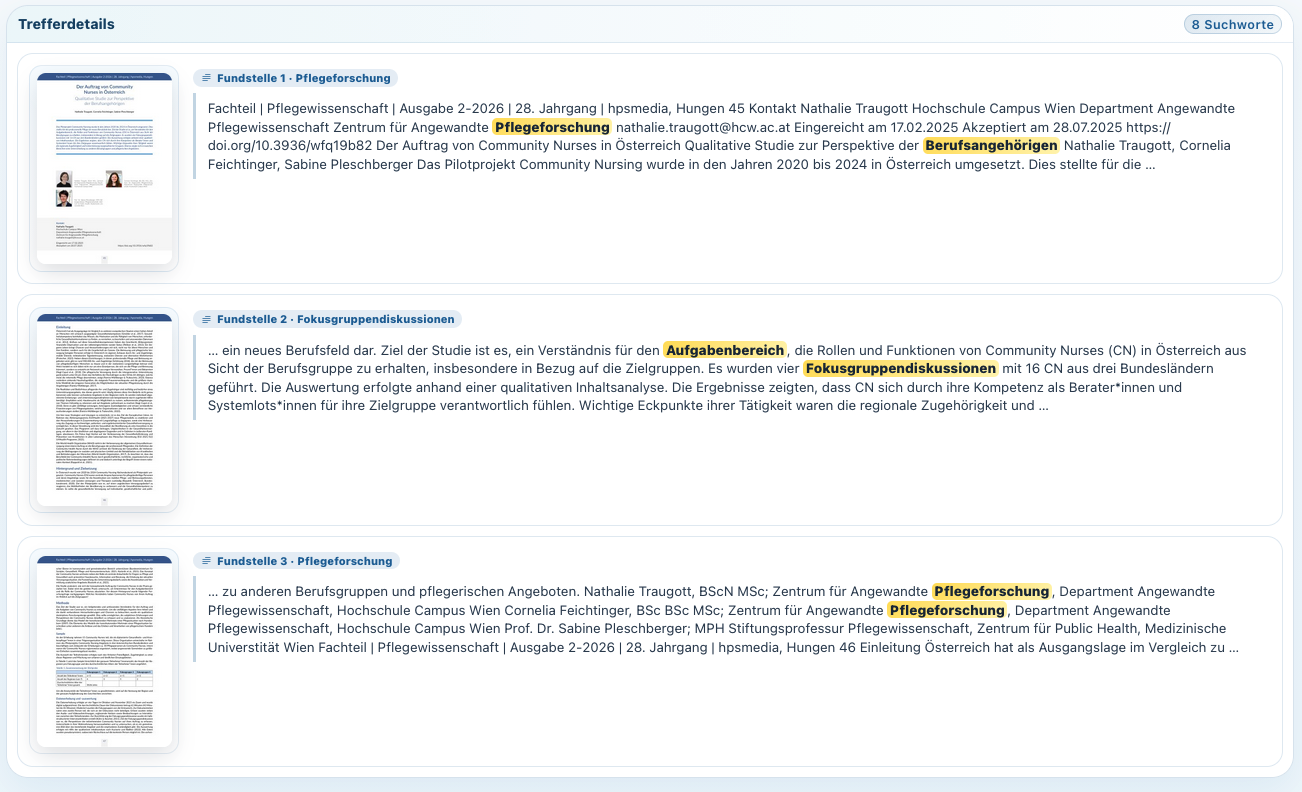
Gerade bei langen Artikeln zählt Kontext. Die Trefferanzeige im Dokument macht sichtbar, ob ein Artikel nur beiläufig passt oder wirklich relevant ist.
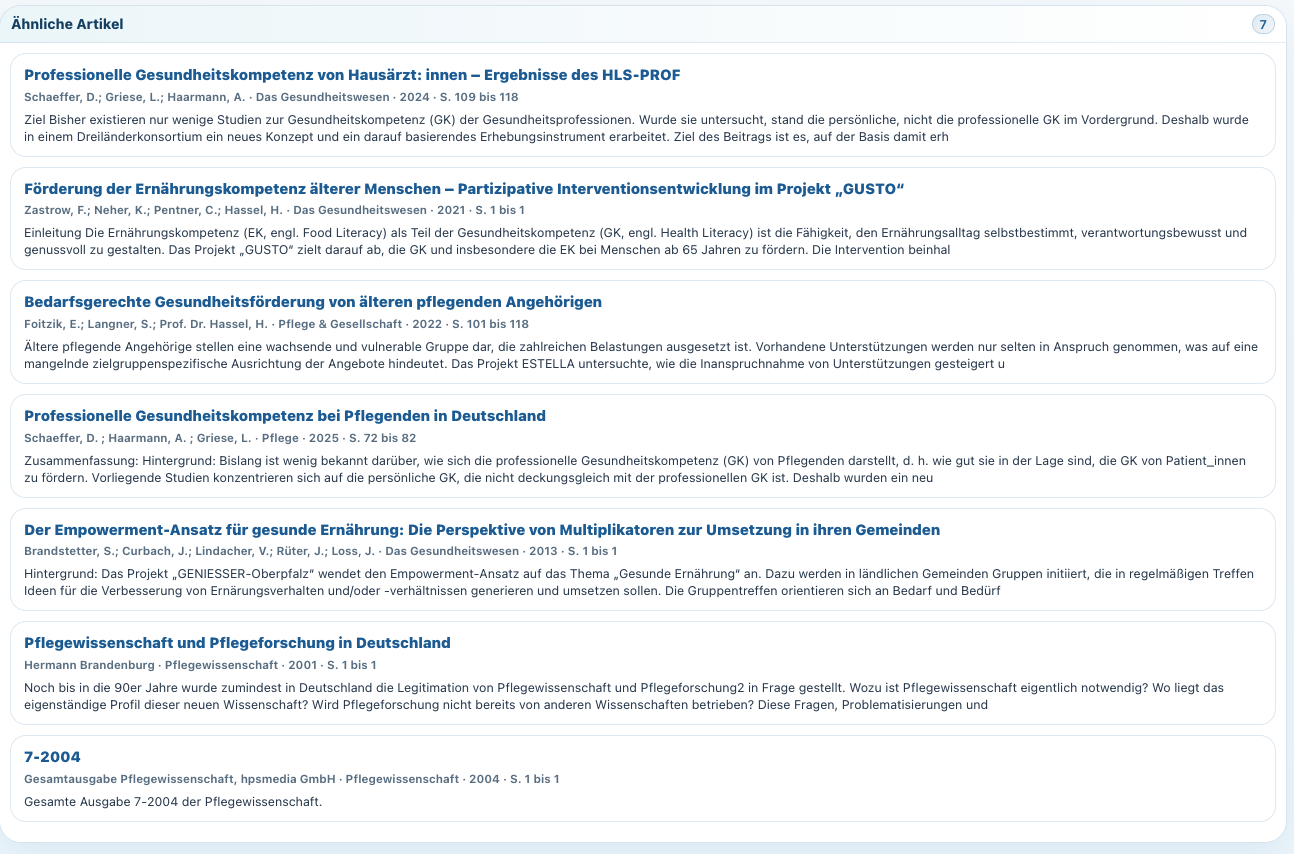
CareLit schlägt inhaltlich verwandte Artikel vor. So werden Schneeballrecherchen komfortabel, ohne dass Nutzer:innen ständig neu formulieren müssen.
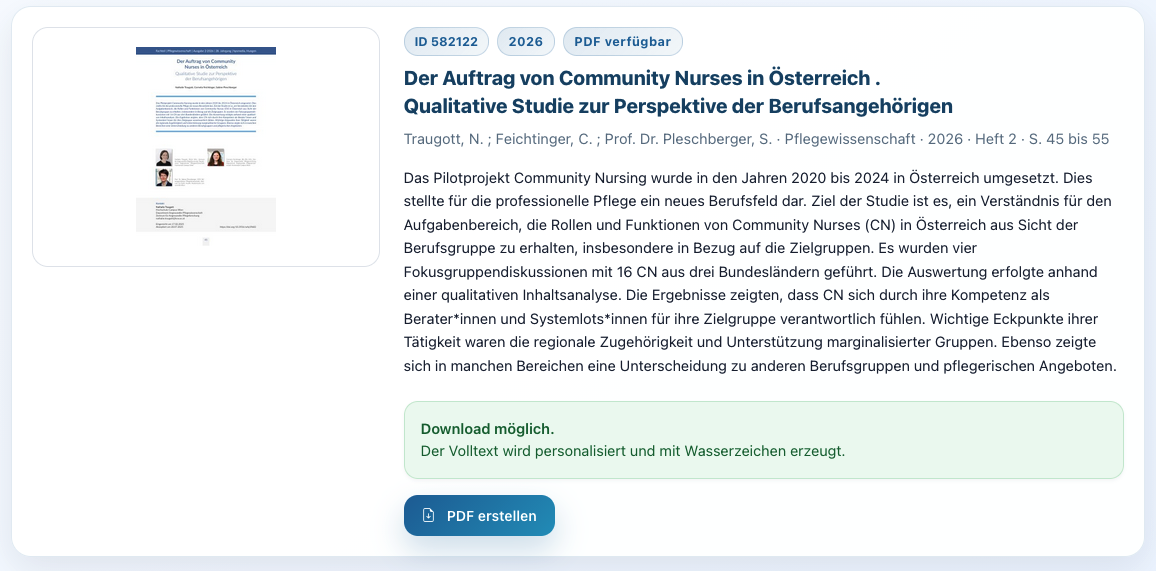
Wenn ein Artikel freigeschaltet ist, führt CareLit ohne Umwege zum PDF. Für Bibliotheken, Hochschulen und Praxis ist das genau der Moment, in dem recherche sich auszahlt.
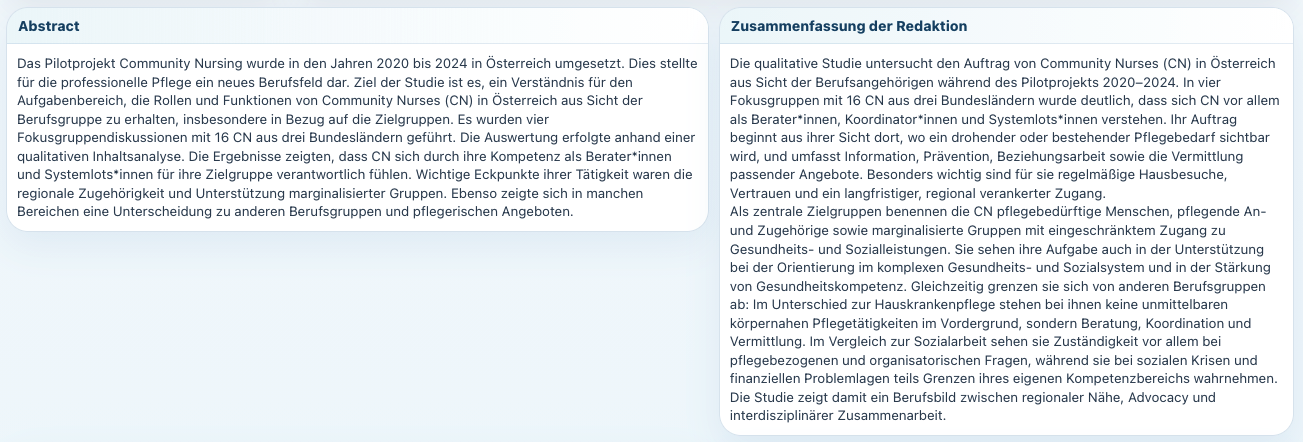
Abstract und redaktionelle oder KI-gestützte Zusammenfassung verdichten die Kernaussage. Das spart Zeit und verbessert die Auswahl der Quellen.
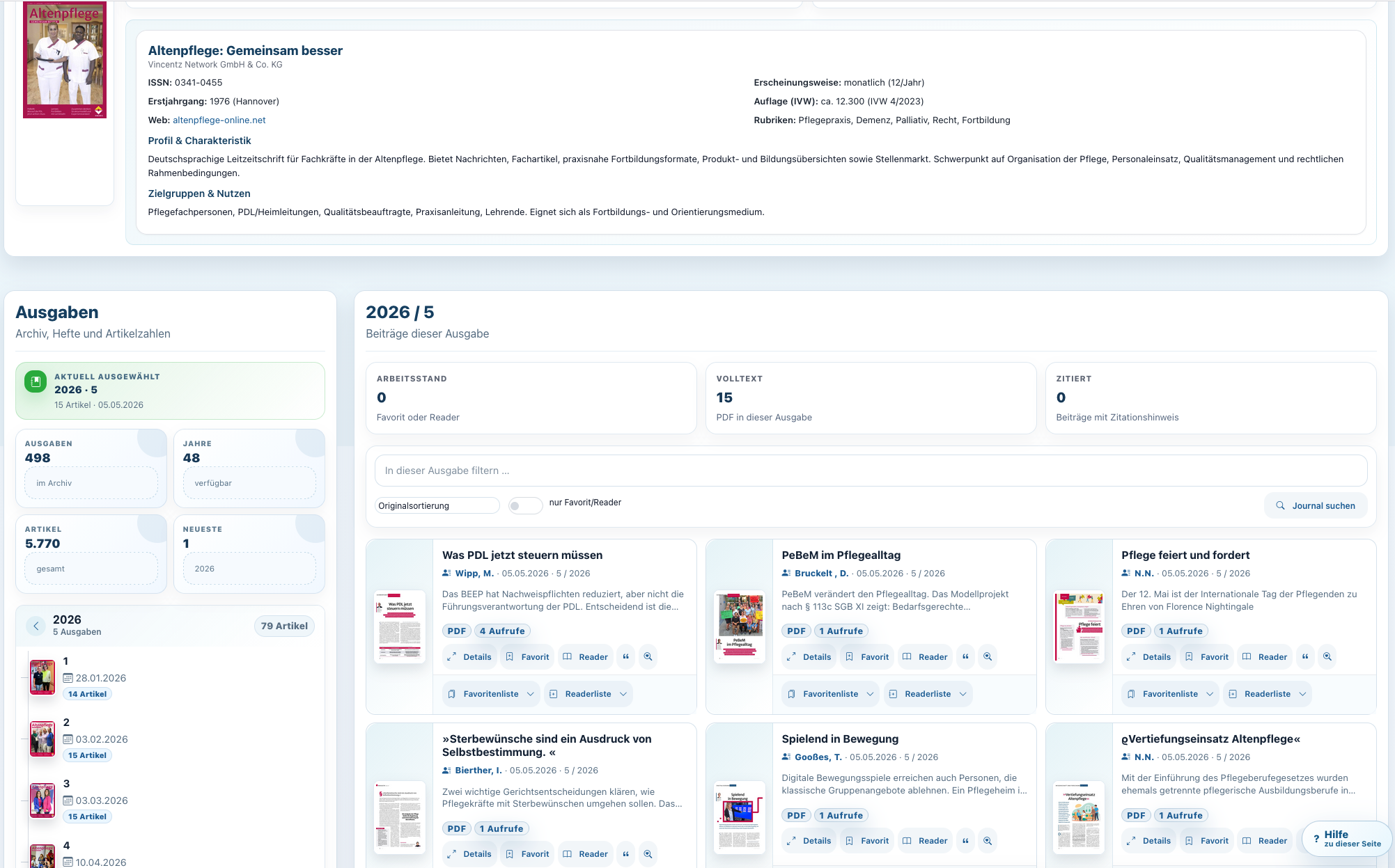
CareLit öffnet Fachzeitschriften über Jahrgänge, Hefte und Artikel. Statt isolierter PDFs entsteht eine echte digitale Bibliothek mit historischem Tiefgang.
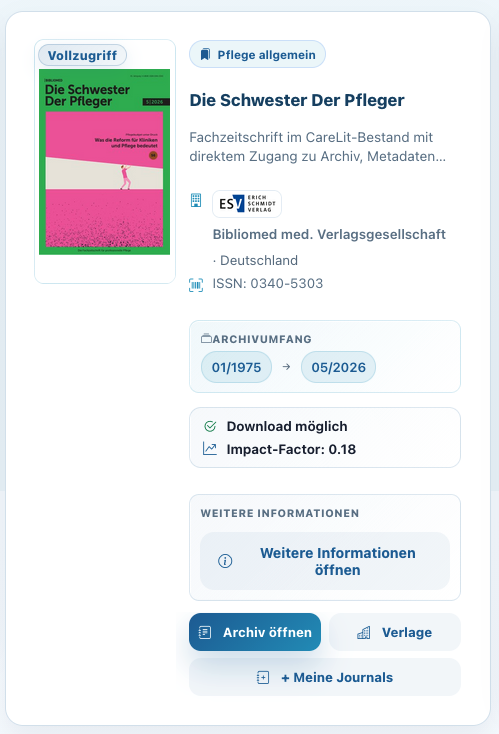
Der enthaltene Bestand deckt Pflege, Gesundheitsberufe, Pädagogik, Therapie, Management, Recht, Medizin und viele angrenzende Themenfelder ab.
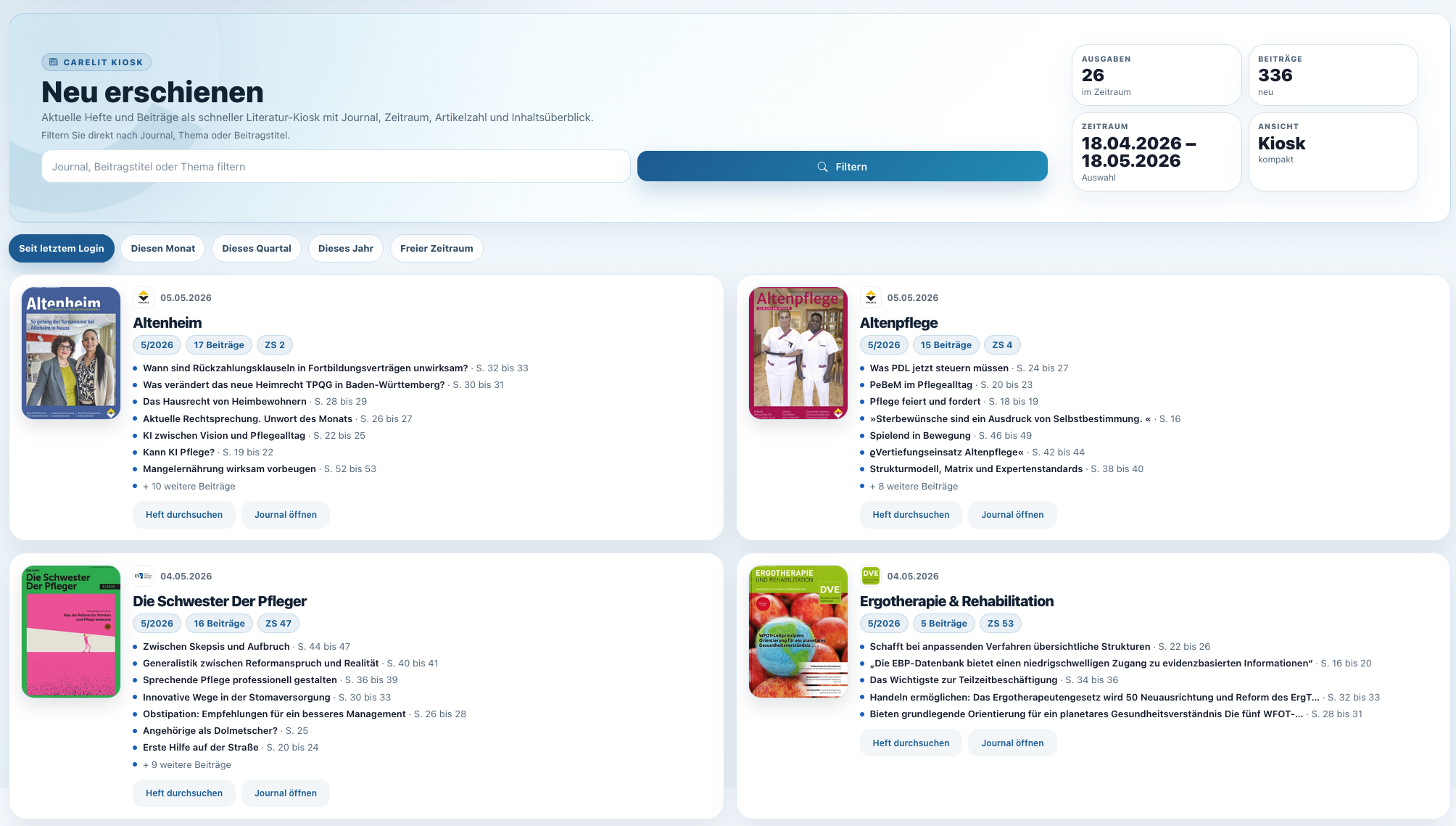
Neue Ausgaben und Artikel werden übersichtlich präsentiert. Das macht CareLit nicht nur zur Archivdatenbank, sondern zum täglichen Update für Fachliteratur.
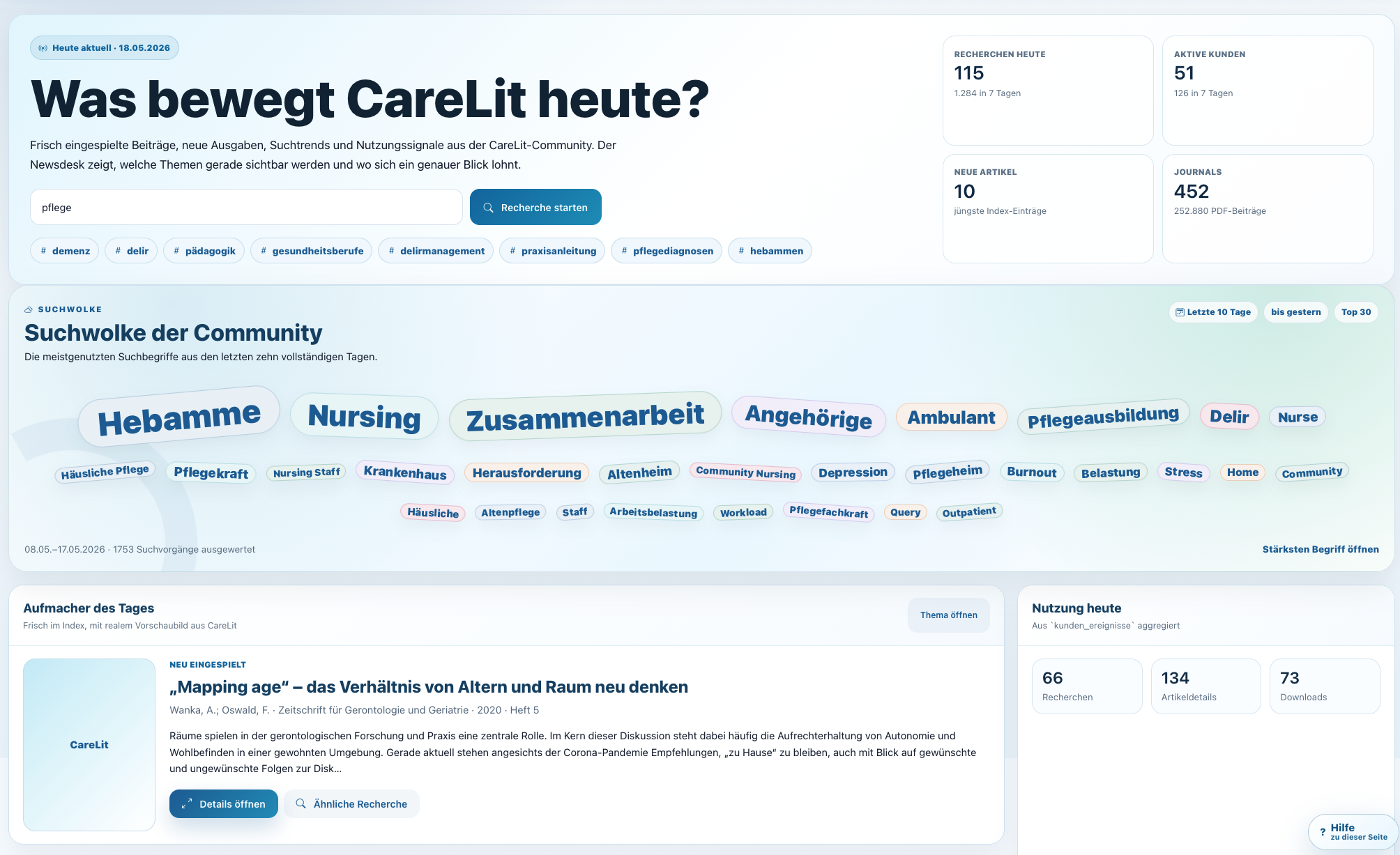
Aktuelle Suchtrends, neue Artikel und viel gelesene Beiträge machen die Plattform lebendig. So entsteht Orientierung über das eigene Thema hinaus.
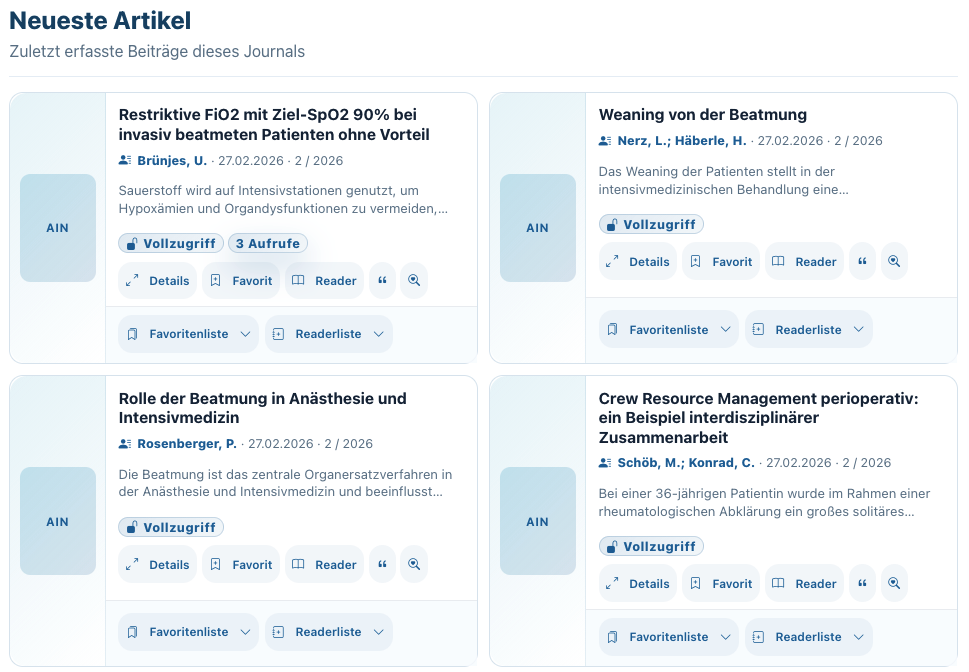
Die Journalansicht zeigt neue Beiträge direkt dort, wo Nutzer:innen sie erwarten: beim jeweiligen Titel. So wird Stöbern schnell und fachlich präzise.
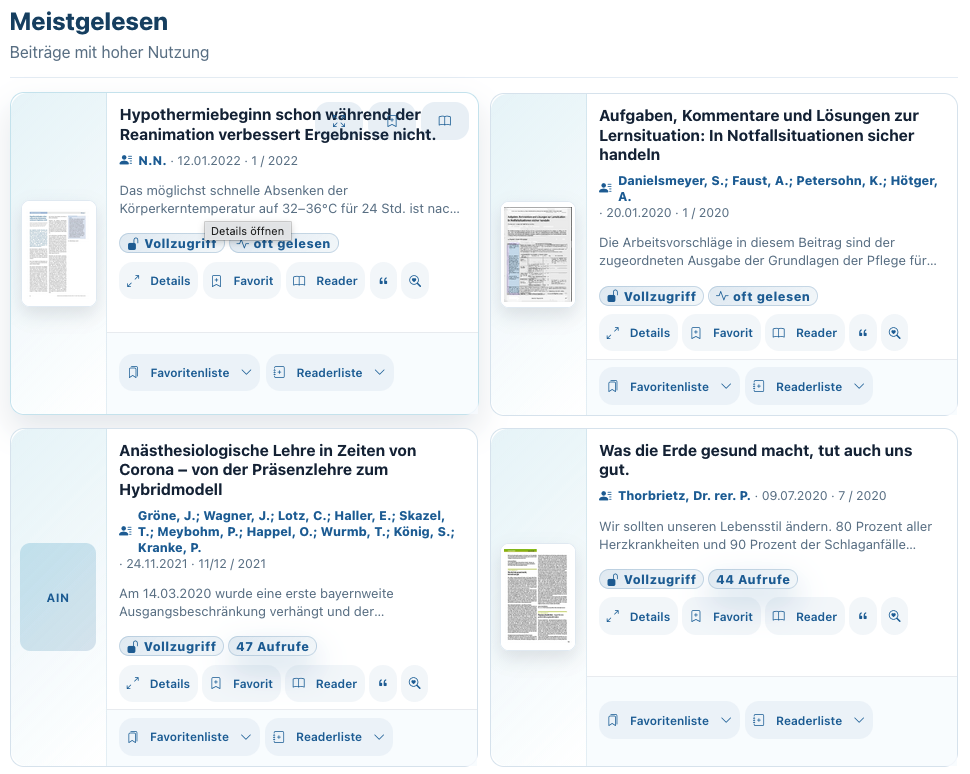
Oft gelesene Artikel geben Orientierung und zeigen, welche Themen in einer Fachcommunity Resonanz finden.

Themenchips führen schnell in die passenden Fachgebiete. Gerade neue Nutzer:innen finden so ohne lange Einarbeitung relevante Literaturbereiche.

CareLit geht über klassische Pflegeartikel hinaus und deckt die Themen ab, die Einrichtungen, Hochschulen und Leitungen wirklich brauchen.

Für Schulen, Hochschulen und Praxisanleitung ist die pädagogische Literatur schnell erreichbar und in die Recherche integriert.

Von Geriatrie bis Gesundheitswesen: CareLit hilft dabei, große Literaturmengen in fachlich sinnvolle Räume zu sortieren.
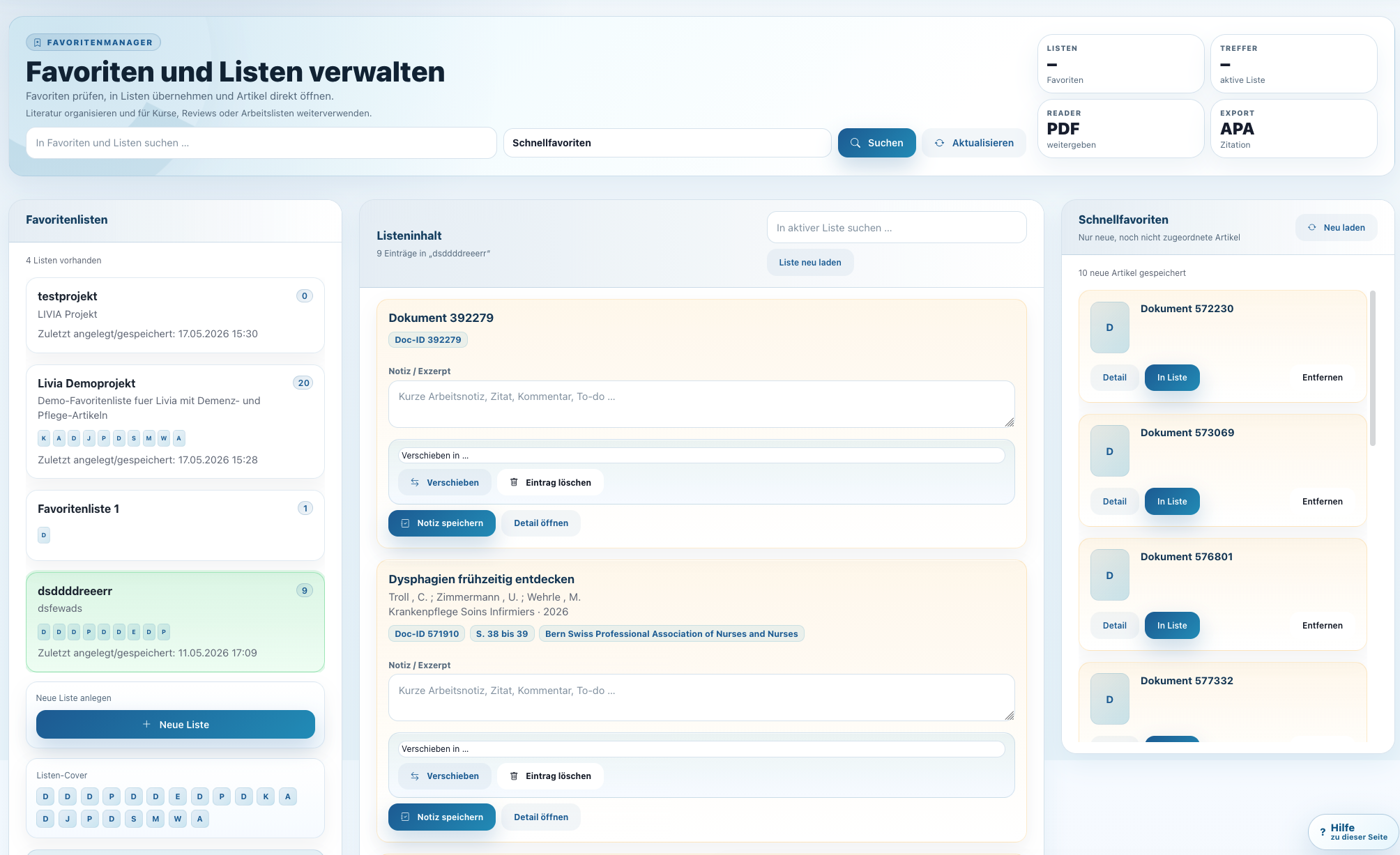
Favoritenlisten machen aus Treffern Arbeitsmaterial. Nutzer:innen sammeln, strukturieren und exportieren Literatur für Seminar, Hausarbeit, Konzept oder Projekt.
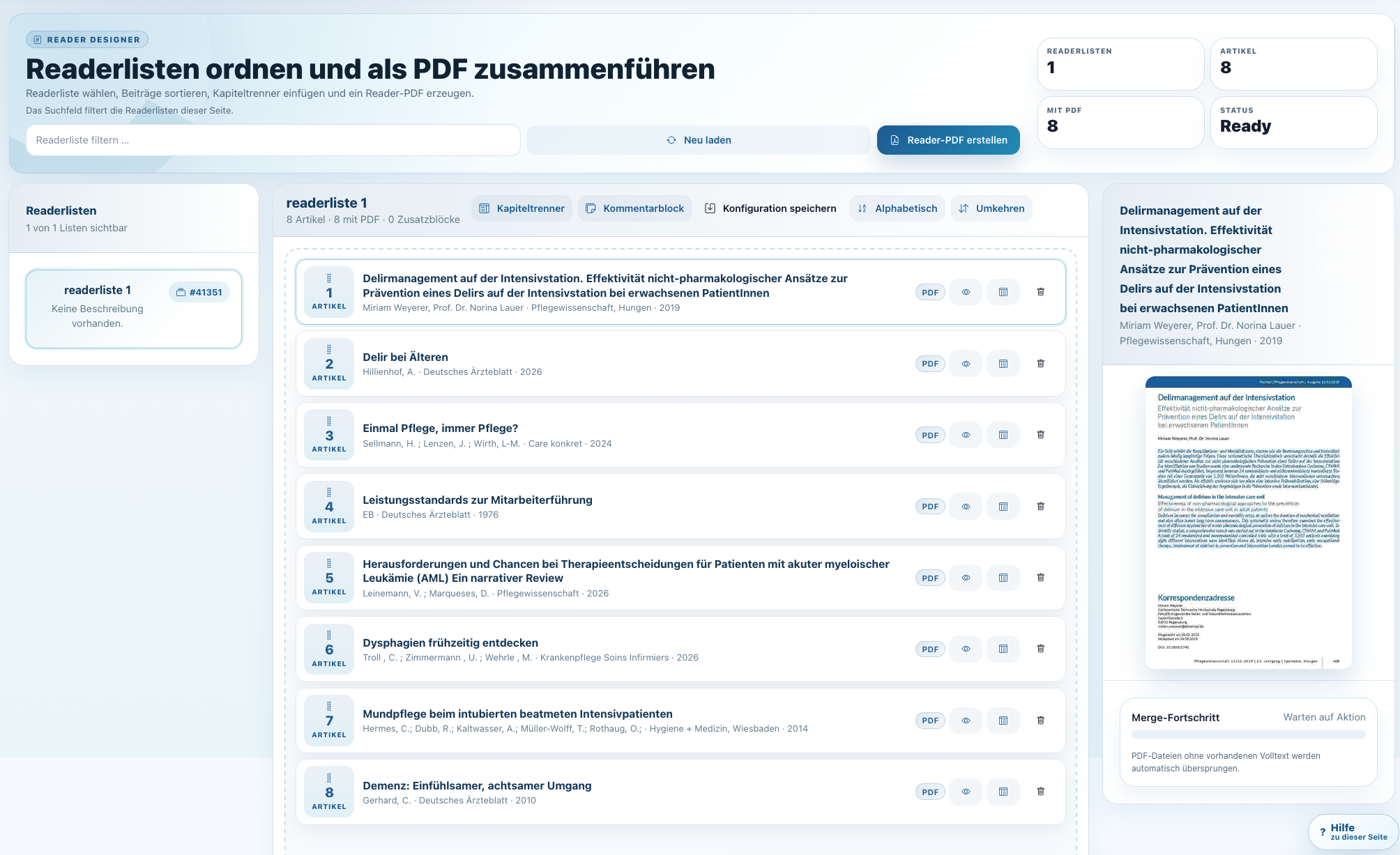
Der Readermanager bündelt ausgewählte Quellen und unterstützt die Erstellung kompletter Unterlagen. Besonders stark für Lehre, Fortbildung und interne Wissensarbeit.
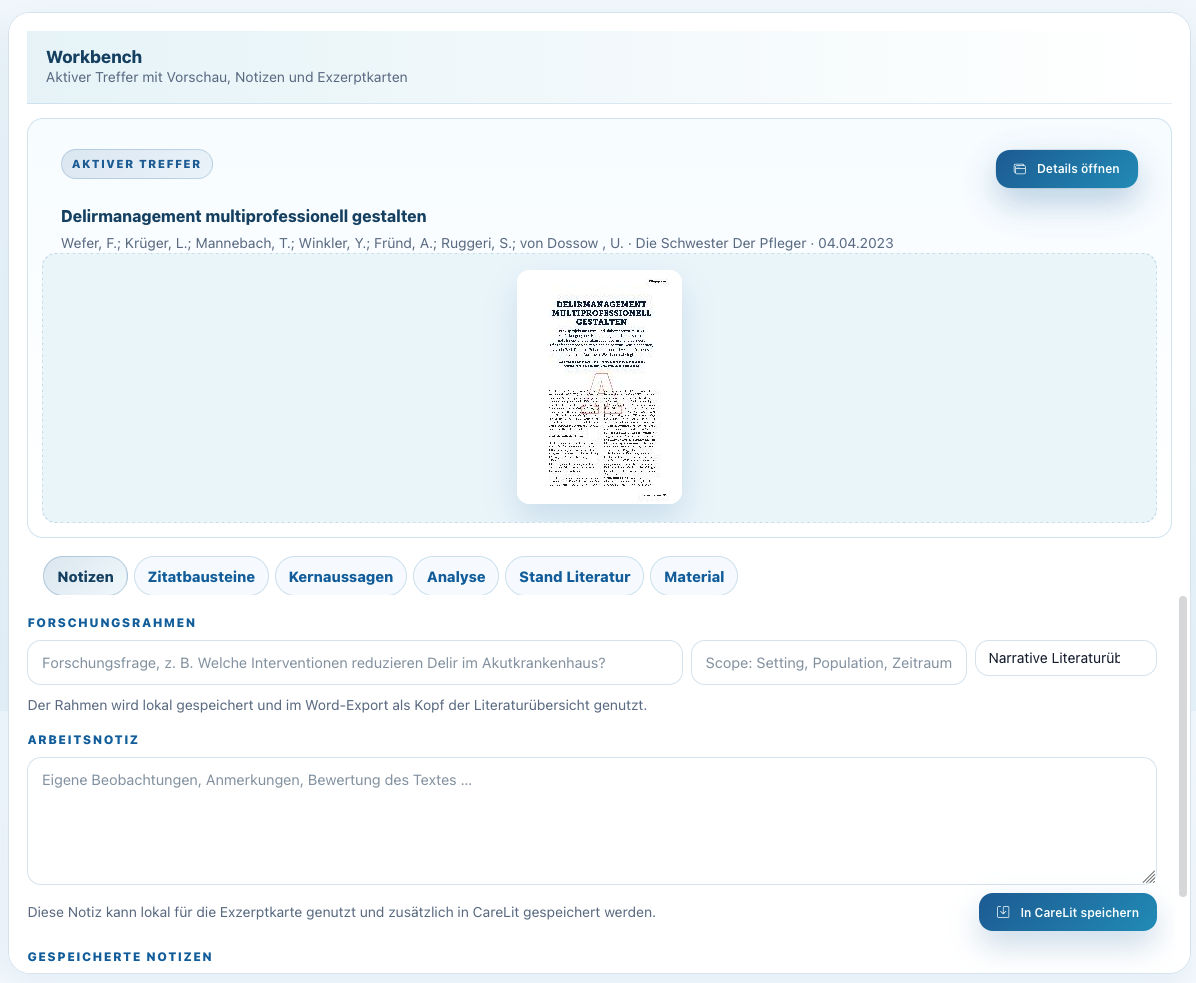
Artikelansicht, Volltext, Zitation, Listen und Aktionen greifen ineinander. So bleibt Literaturarbeit nachvollziehbar und effizient.
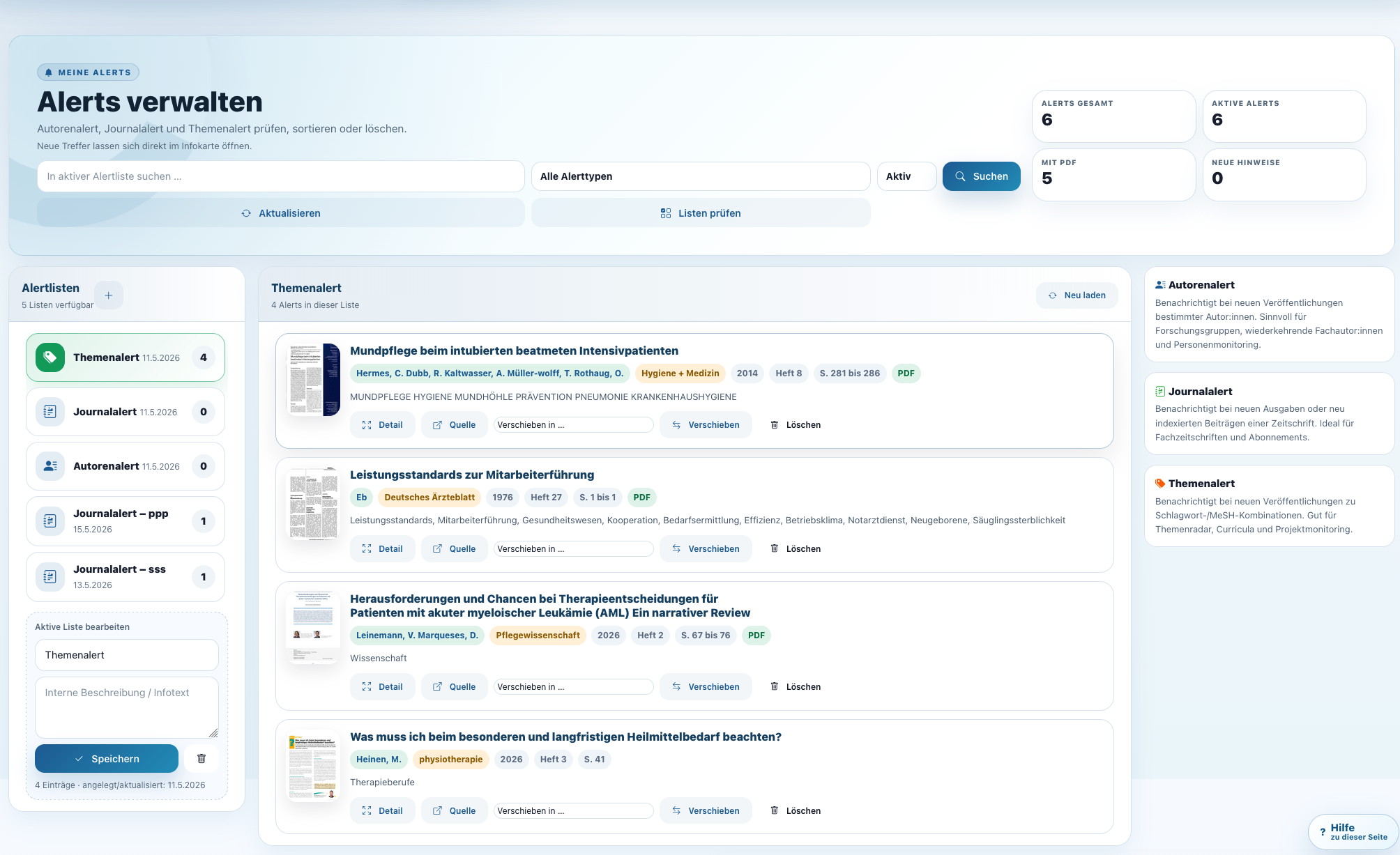
Alerts halten Nutzer:innen auf dem Laufenden: für Suchbegriffe, Autor:innen, Journals oder Themen. Das ist kontinuierliche Recherche ohne manuelles Nacharbeiten.
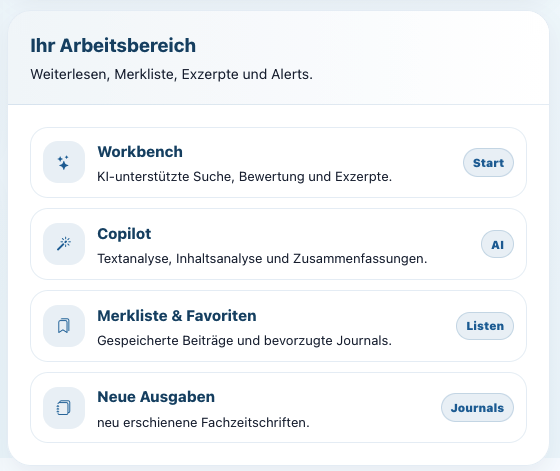
Workbench, Copilot, Merkliste, Favoriten und neue Ausgaben sind direkt erreichbar. Der Arbeitsbereich macht CareLit zu einer persönlichen Fachbibliothek.
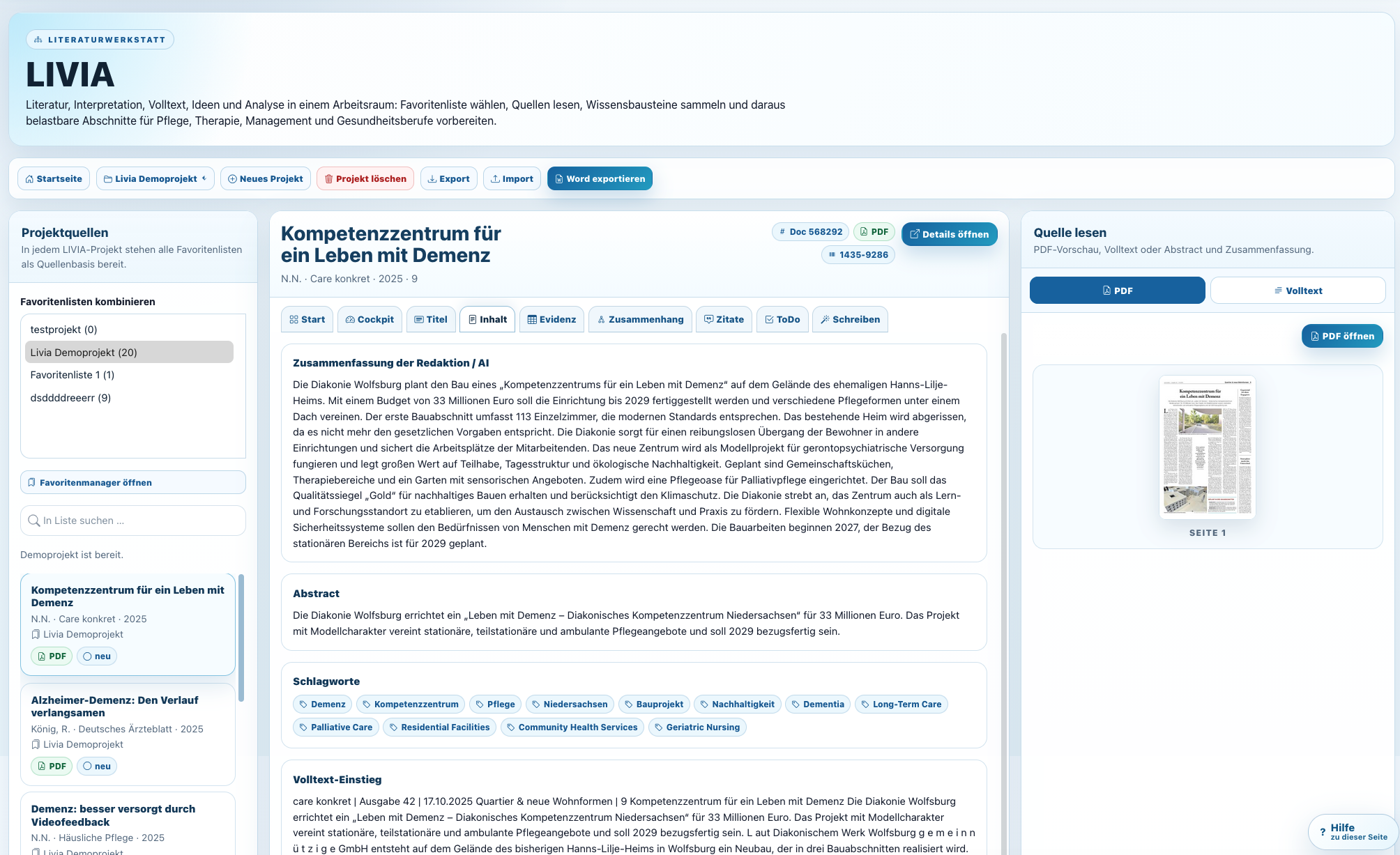
Livia hilft, Quellen zu strukturieren, Forschungsstände vorzubereiten und aus Literatur verwertbare Arbeitsfassungen zu entwickeln.
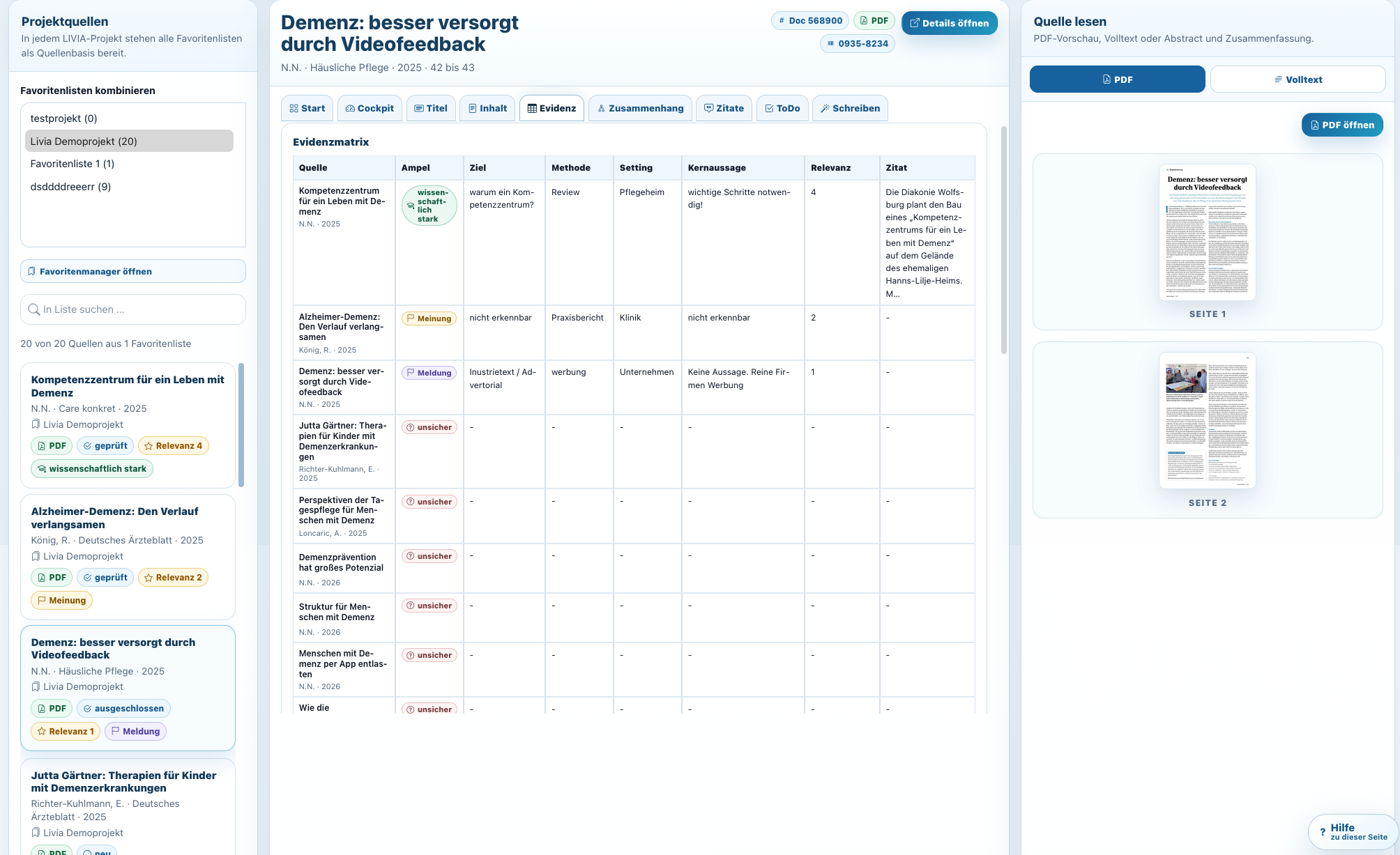
Evidenzmatrix, Kernaussagen und Relevanz helfen, Literatur systematisch zu beurteilen. Das ist besonders wertvoll für Hausarbeiten, Konzepte und Reviews.
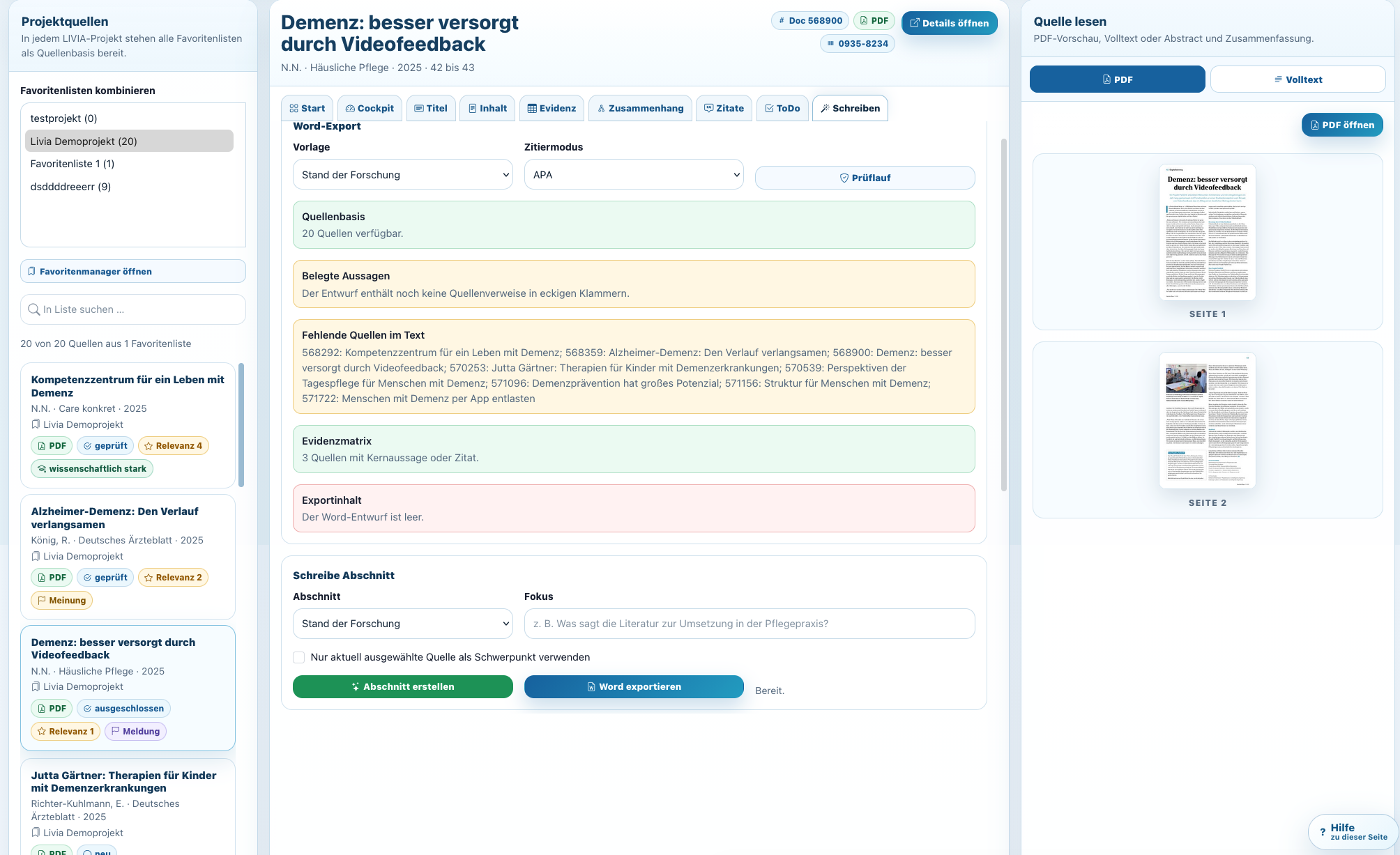
Prüflauf, Quellenblock und Exportfunktionen machen aus Recherche einen verwertbaren Output. CareLit wird damit zum Schreib- und Denkwerkzeug.
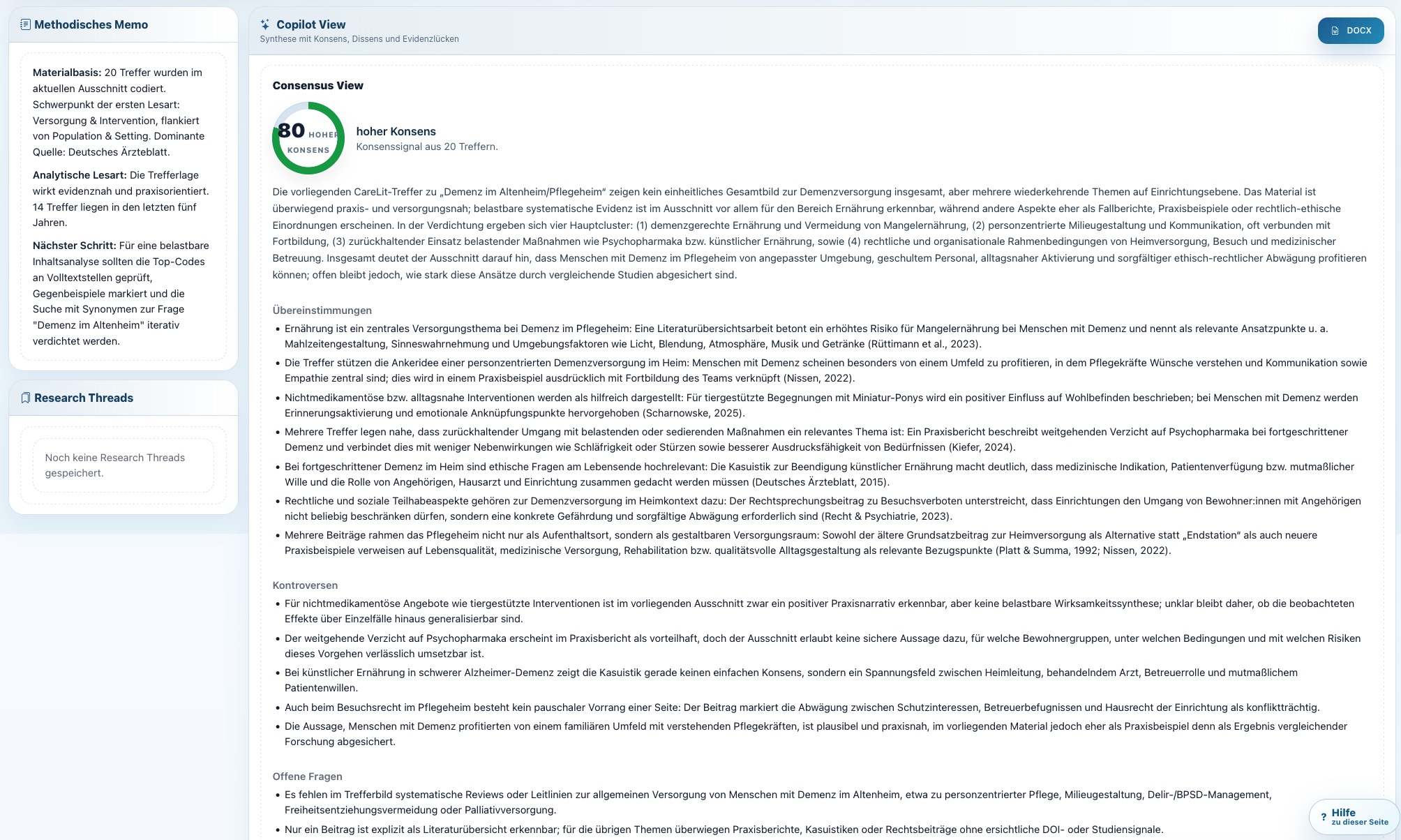
CareLit unterstützt dabei, zentrale Aussagen, Konzepte und Belege aus umfangreichen Texten herauszuarbeiten. Das beschleunigt das Verständnis ohne die Quelle zu ersetzen.
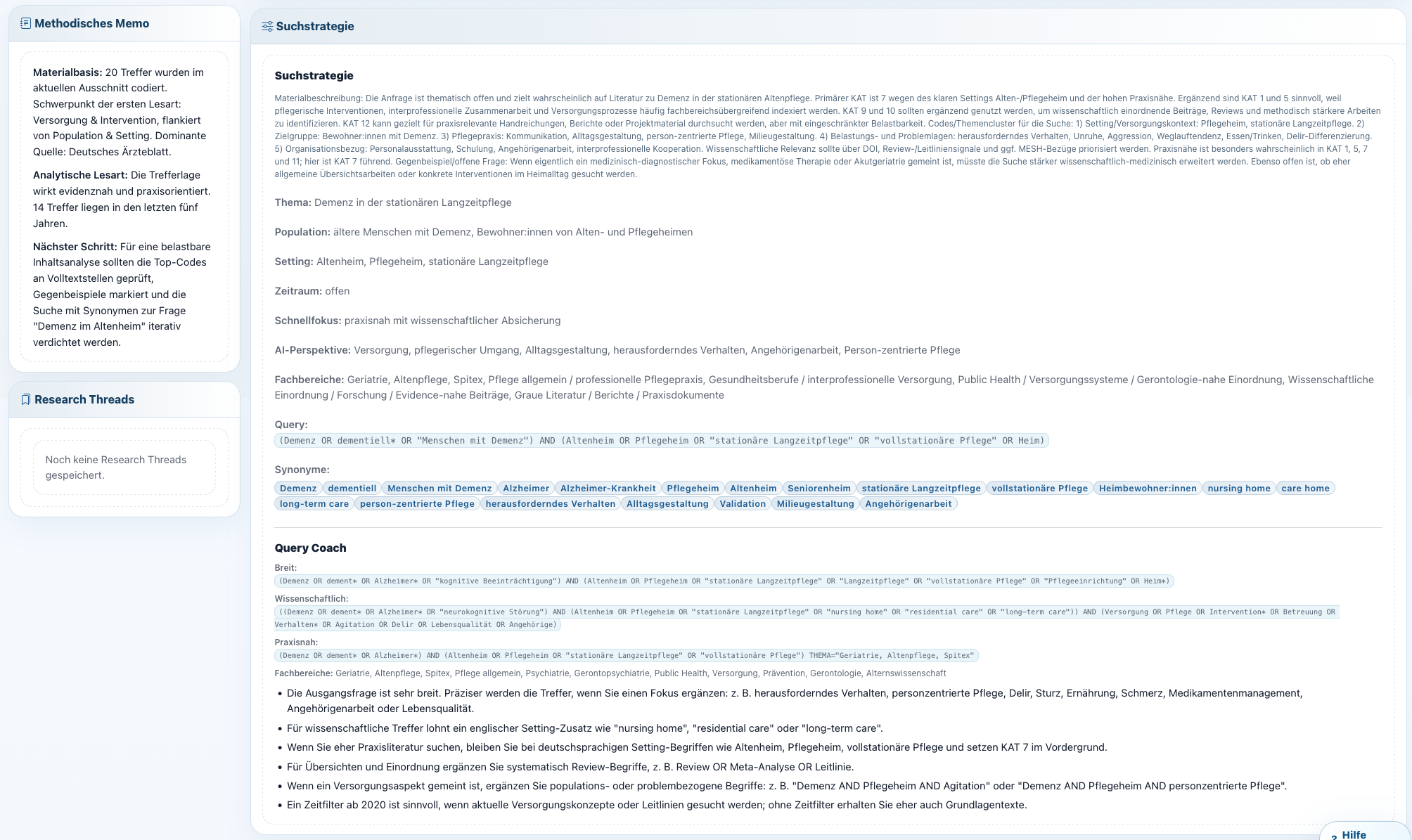
Die KI-Funktionen sind auf Quellenarbeit ausgerichtet: Aussagen, Zitate, Abschnitte und Fundstellen bleiben nachvollziehbar.
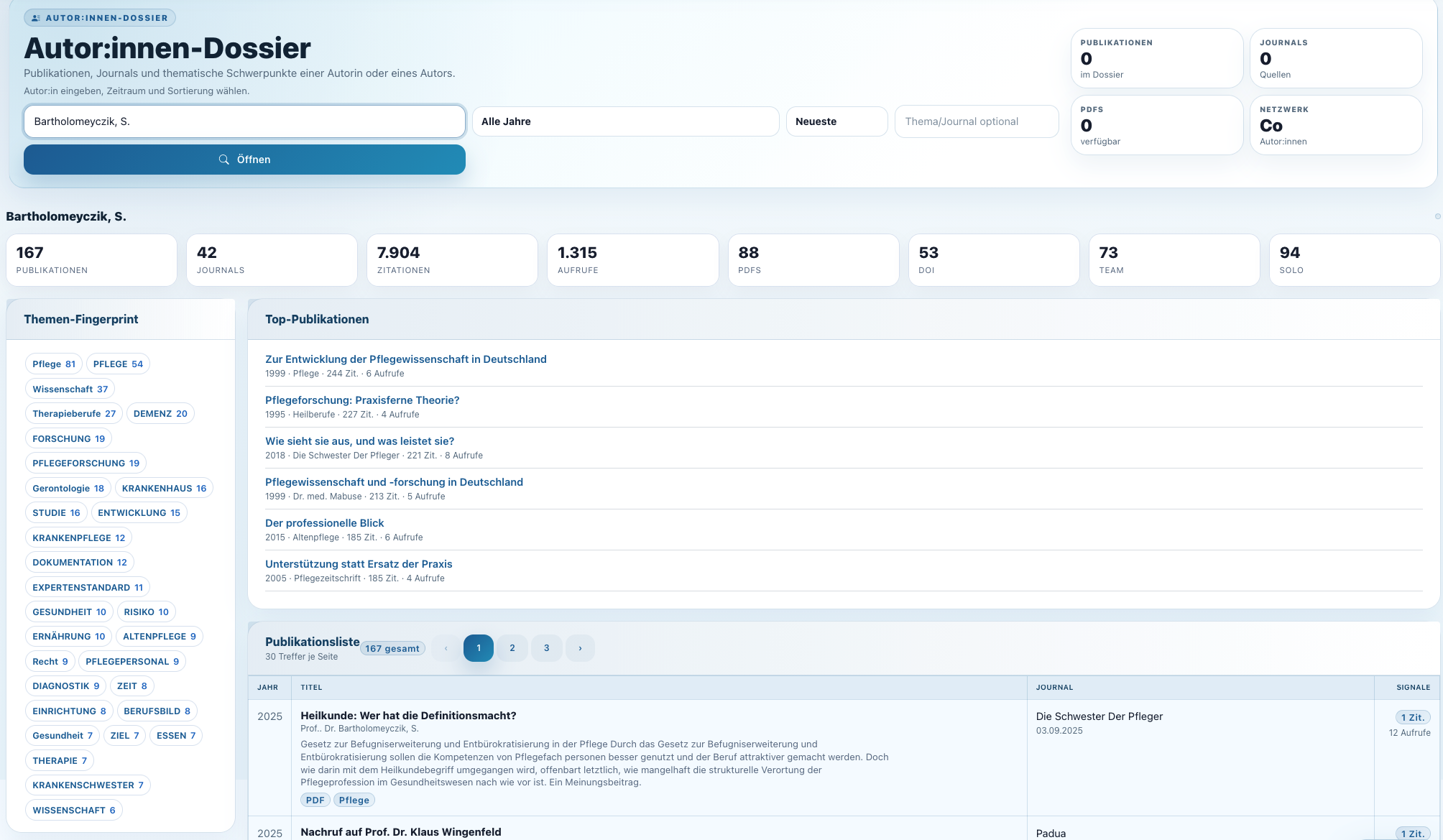
CareLit zeigt Autor:innen, Themen, Ko-Autor:innen und Publikationskontexte. Das hilft, Expertise und fachliche Netzwerke schnell zu erkennen.
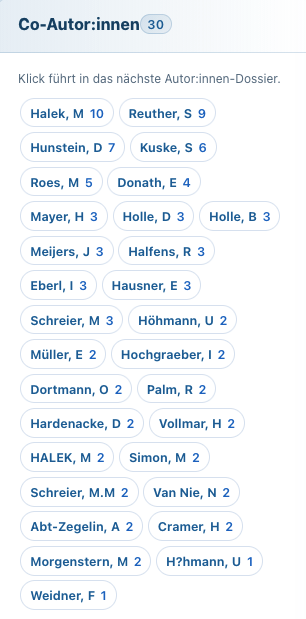
Die Netzwerkdarstellung macht sichtbar, welche Namen, Zeitschriften und Themen miteinander verbunden sind.
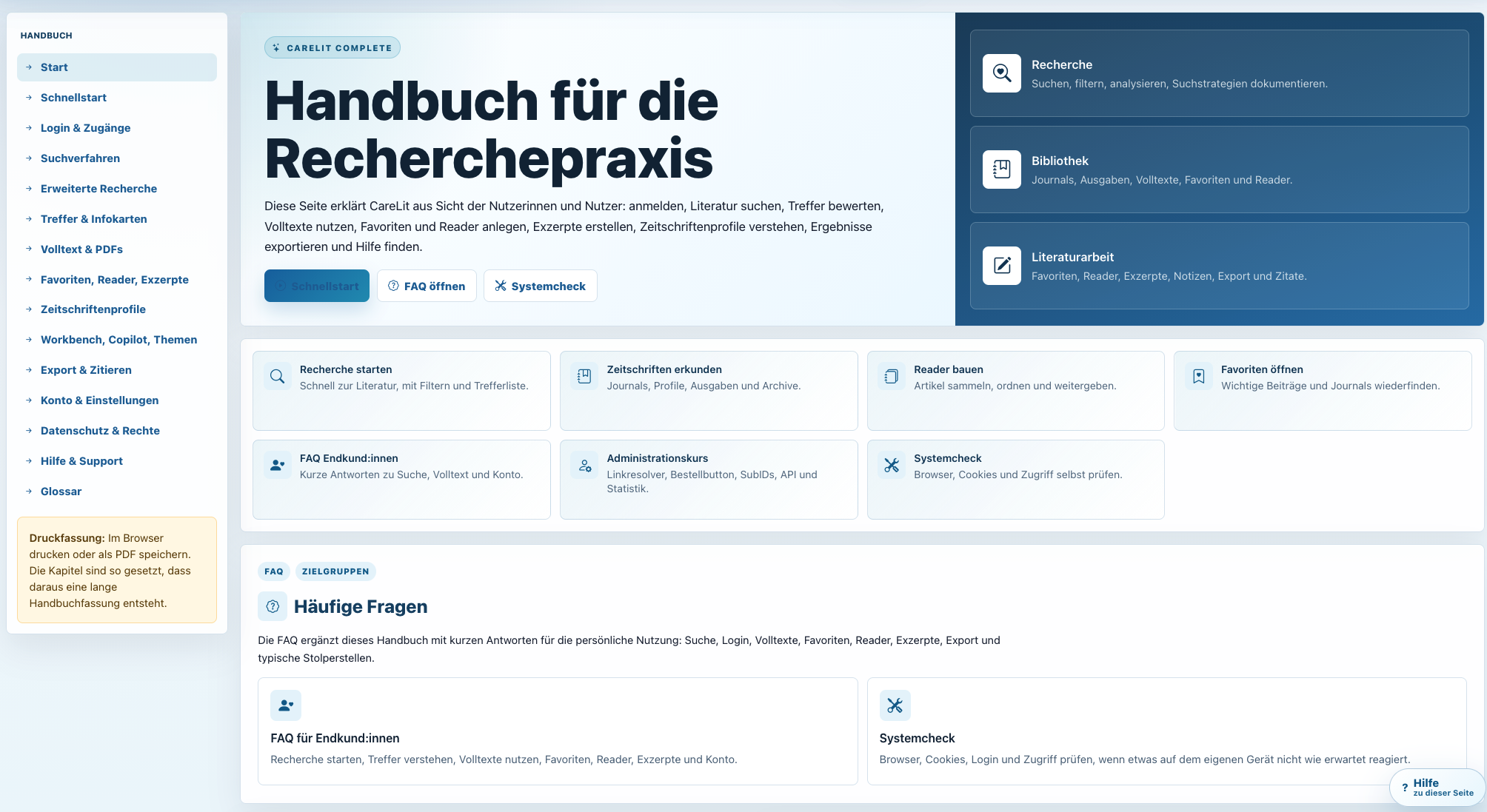
Das Handbuch erklärt Recherchepraxis, Funktionen und Arbeitswege in CareLit. Nutzer:innen finden Unterstützung genau dort, wo Fragen entstehen.
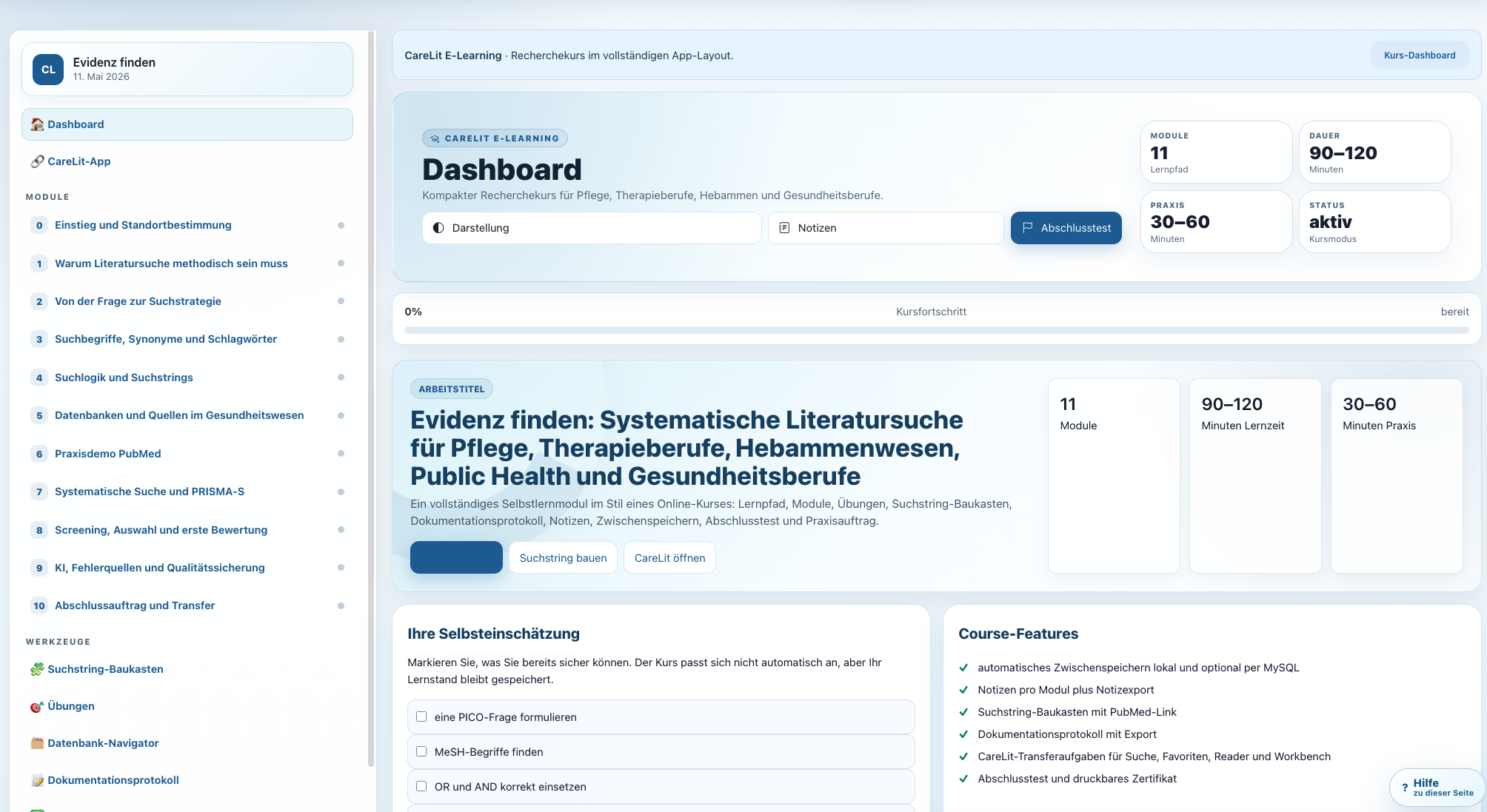
Der Einsteigerkurs führt durch Suche, Trefferbewertung und Literaturarbeit. So wird aus einem Zugang schnell echte Recherchekompetenz.
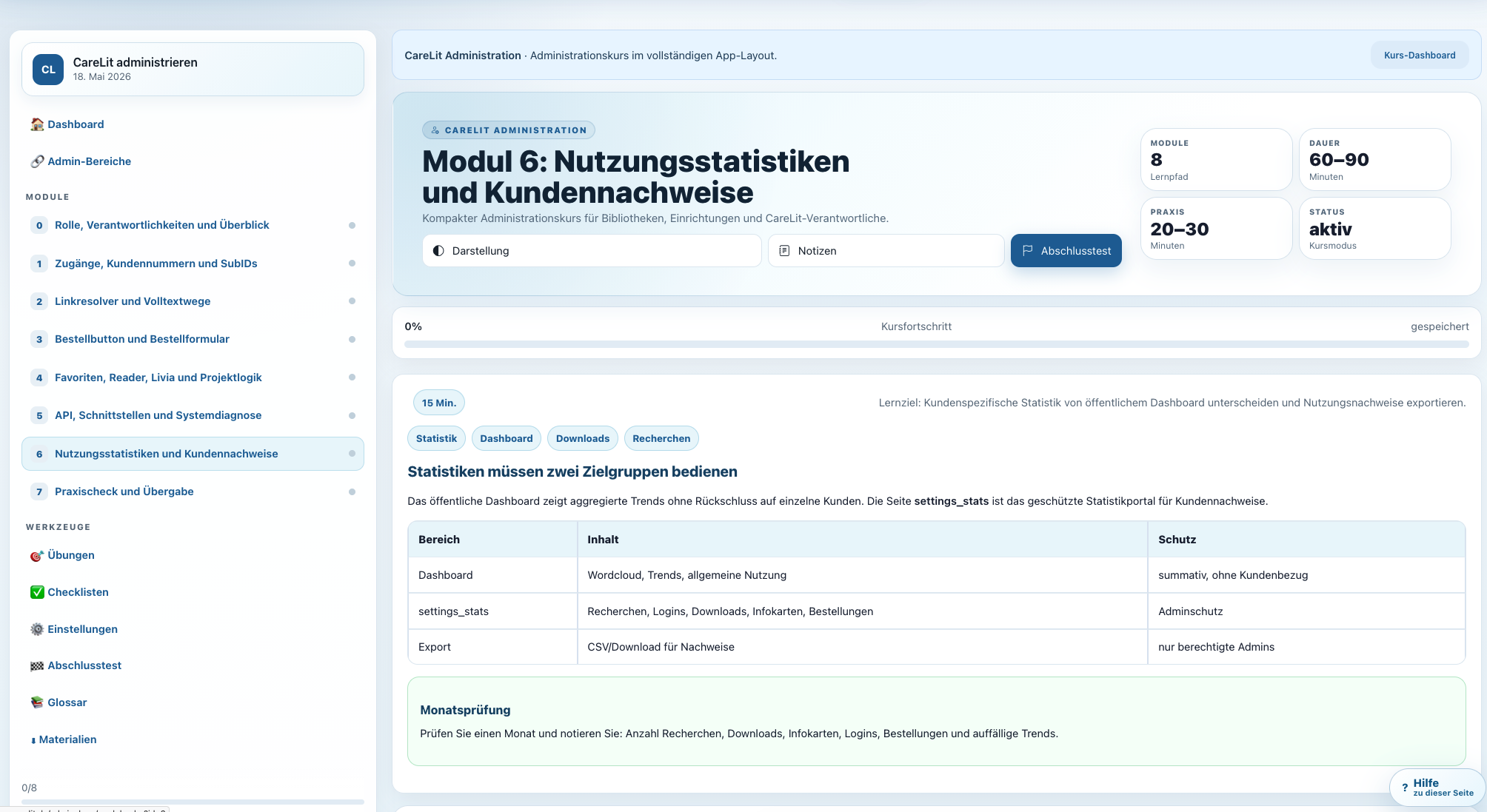
Der Administrationskurs erklärt Link Resolver, Bestellbuttons, Schnittstellen, Loginmethoden und Statistik. Das senkt Supportaufwand und stärkt die Einführung.
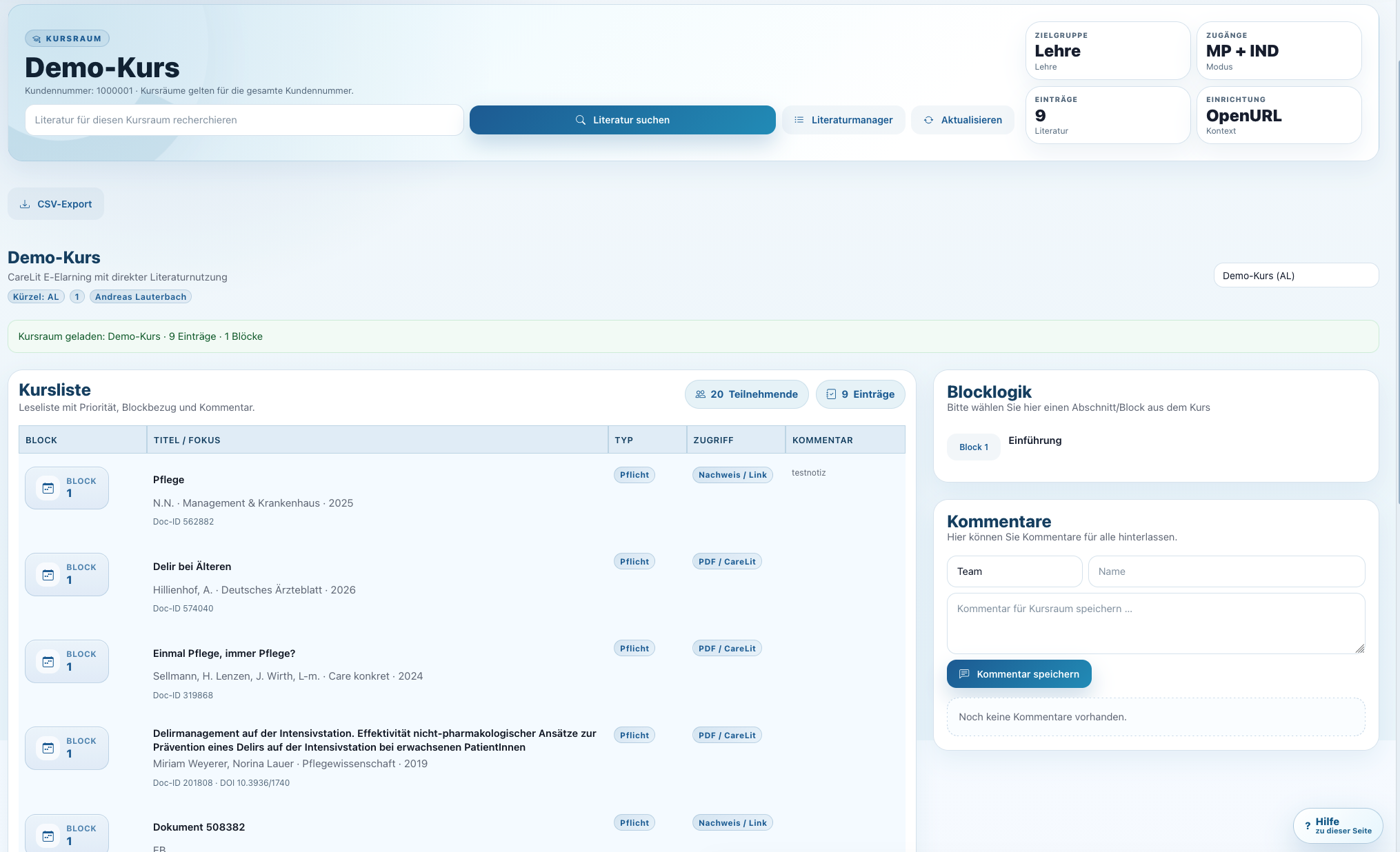
Lehrende können Kurse strukturieren, Literatur zuordnen und Lernende gezielt durch Quellen führen. Literatur wird didaktisch nutzbar.
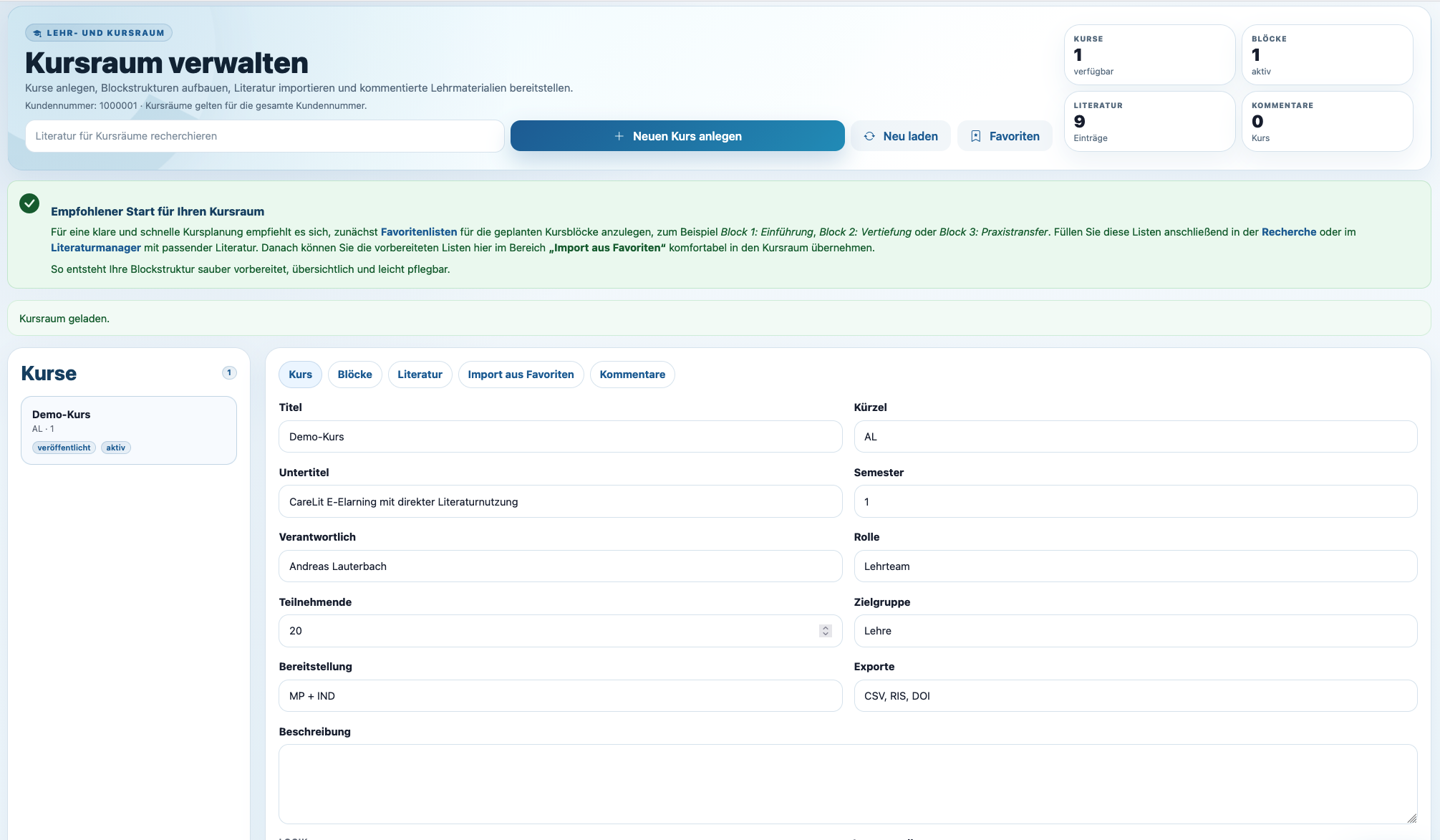
Kursräume lassen sich veröffentlichen, aktivieren und pflegen. Damit passt CareLit auch in institutionelle Lehr- und Fortbildungsprozesse.
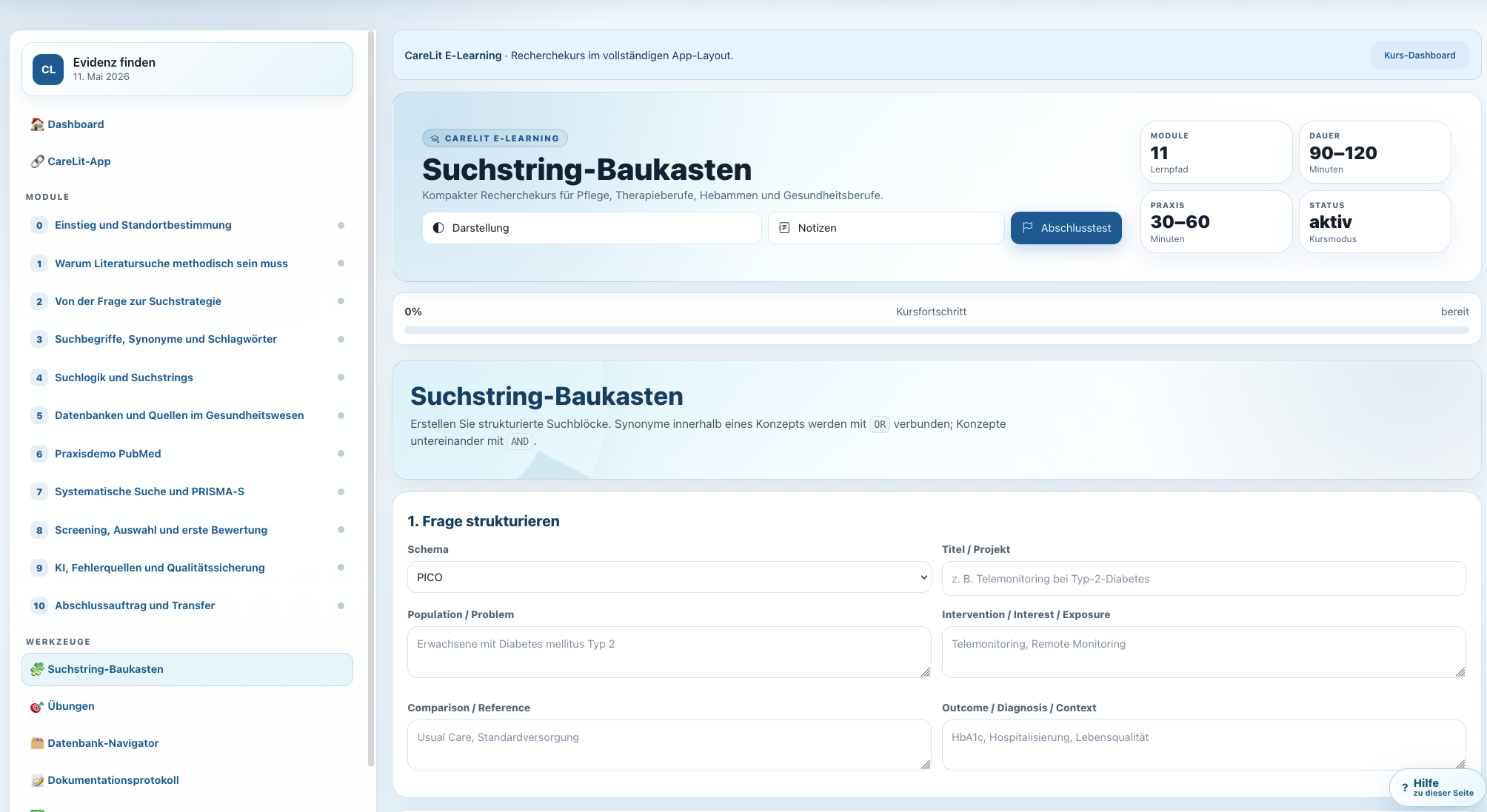
Übungen und Aufgaben helfen Lernenden, Suchstrategien und Quellenbewertung praktisch zu üben. CareLit wird so zum Lernraum, nicht nur zur Datenbank.
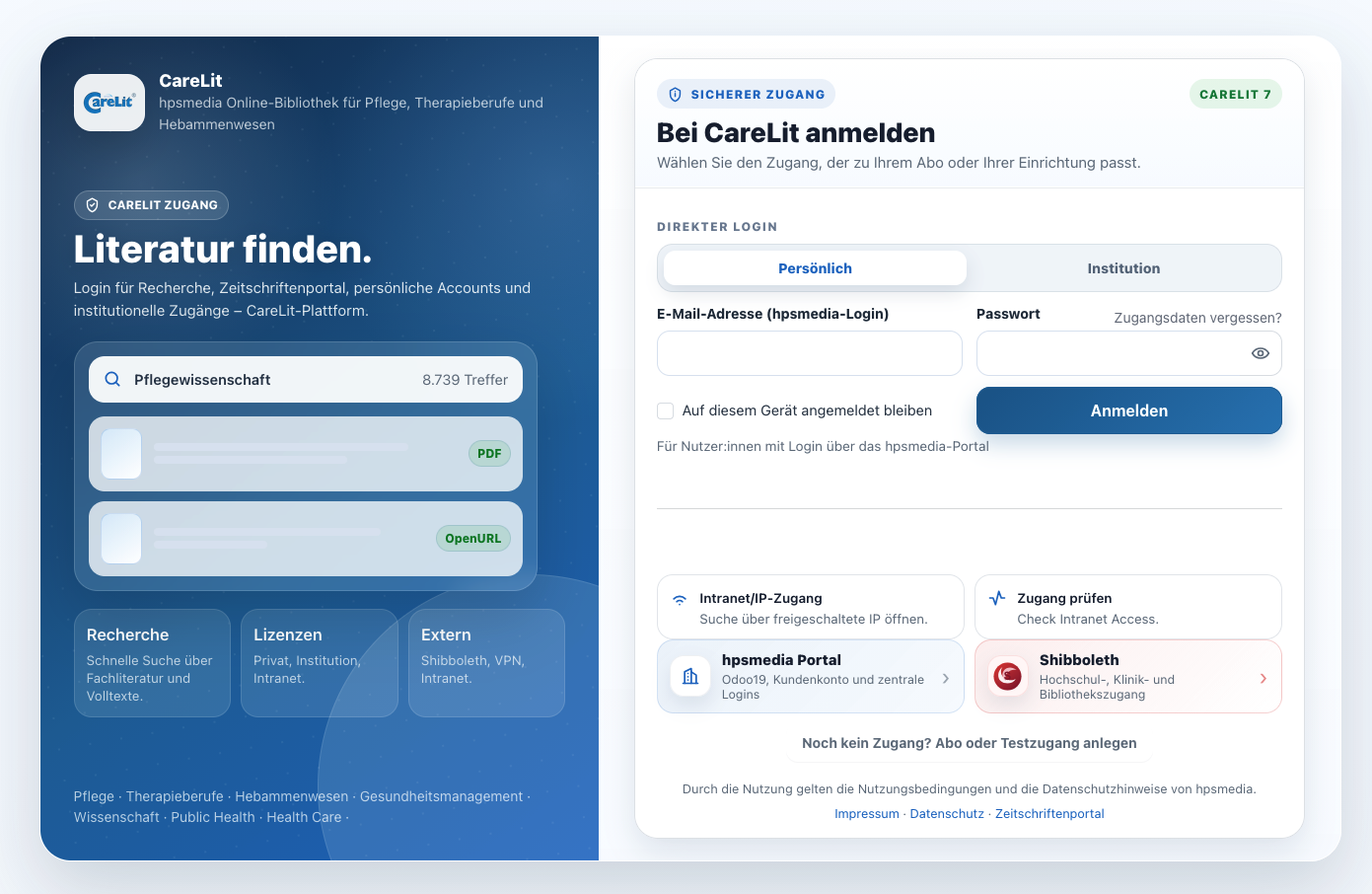
CareLit unterstützt klare Loginwege für Nutzer:innen. Persönlicher Zugang, Institution, Test und Registrierung sind verständlich getrennt.
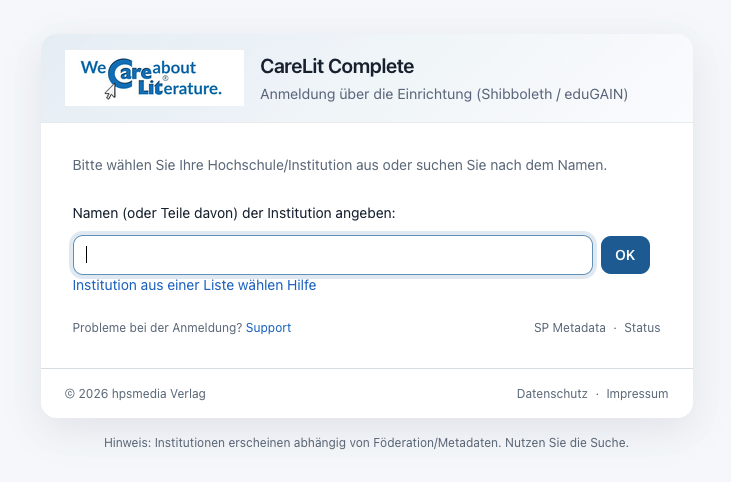
Shibboleth und institutionelle Loginverfahren reduzieren Hürden für große Einrichtungen. Nutzer:innen kommen über bekannte Identitäten direkt zur Literatur.
Für Bibliotheken und Einrichtungen sind IP-Range und VPN weiterhin zentrale Zugangswege. CareLit integriert diese Logik pragmatisch.
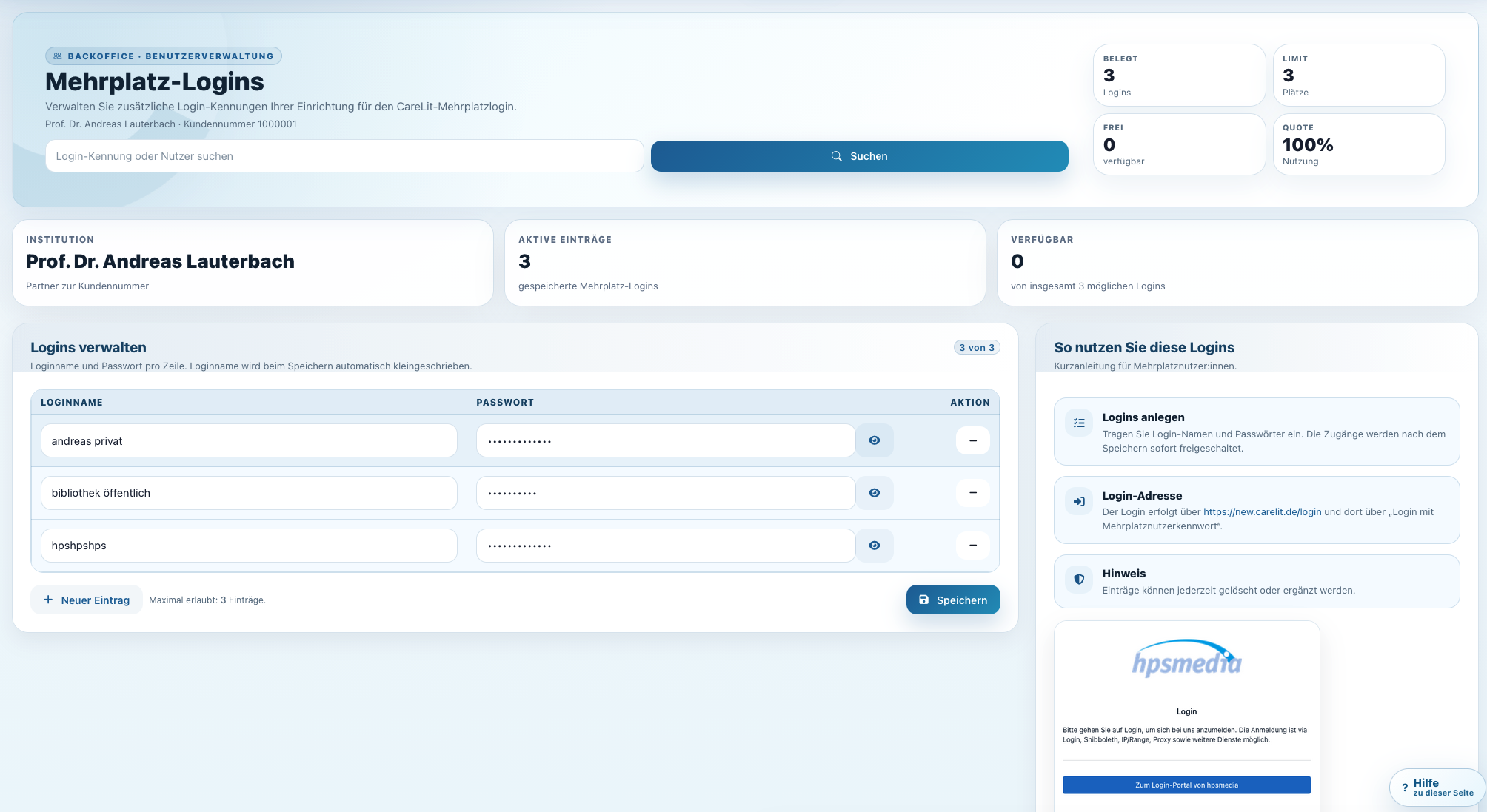
Adminteams können Loginvarianten, Nutzergruppen und Mehrplatzlogik steuern. Das macht CareLit robust für Hochschulen, Kliniken, Schulen und Verbünde.
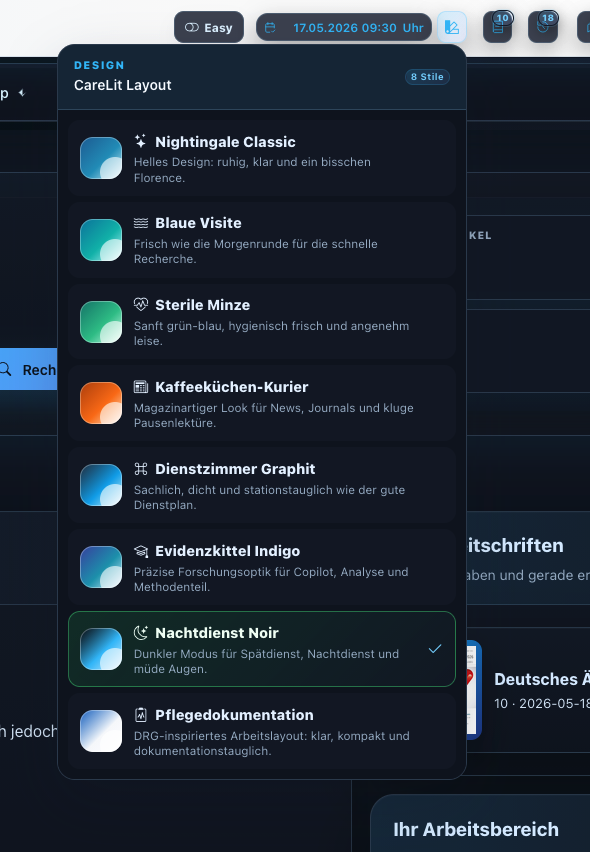
Vom klassischen Portal bis zum kompakten Easy-Modus: Layouts unterstützen unterschiedliche Zielgruppen, Endgeräte und Arbeitsweisen.
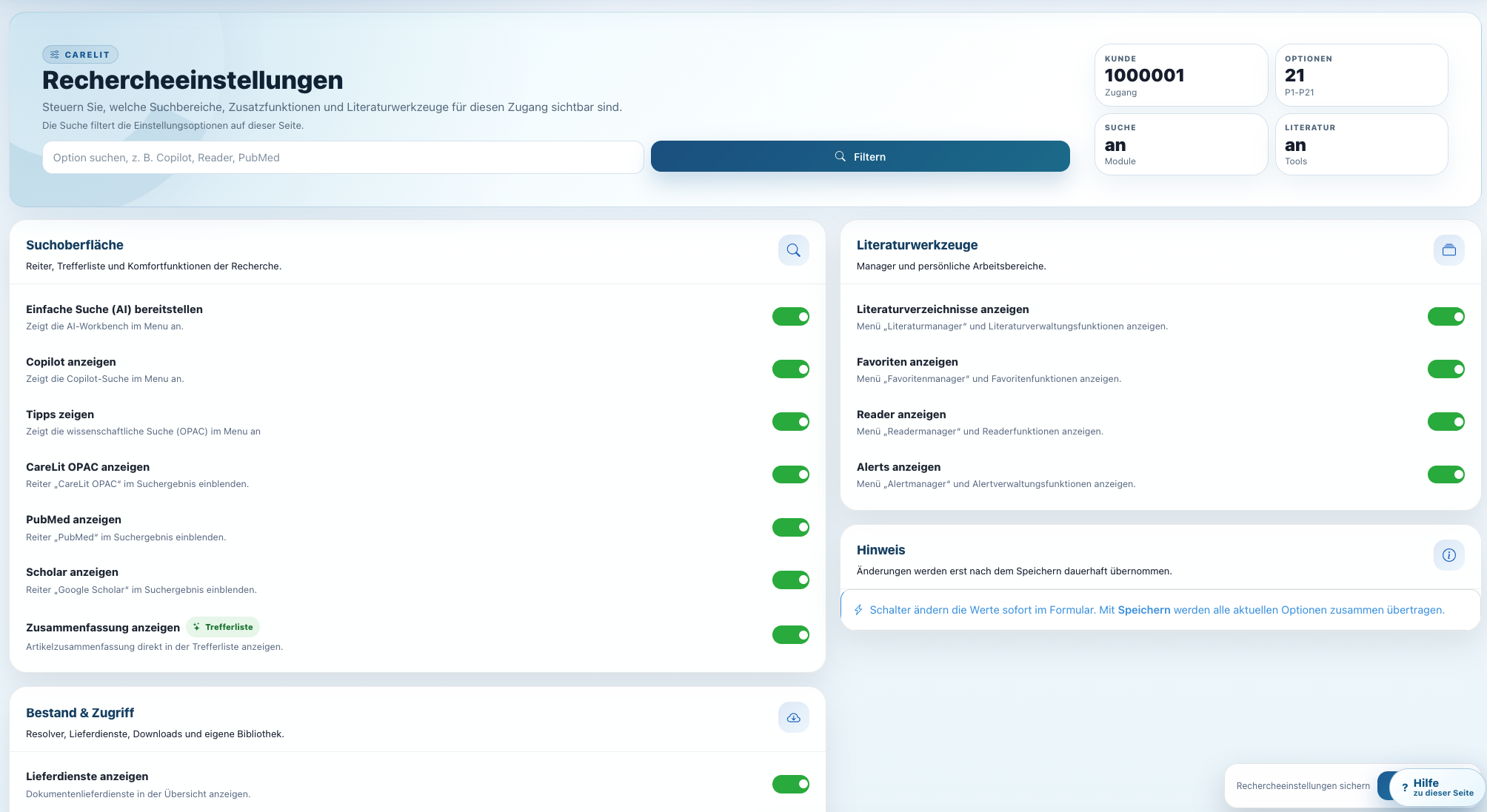
Filter, Rechercheverhalten und Zugriffslogik lassen sich administrieren. So passt die Plattform zur Einrichtung und nicht umgekehrt.
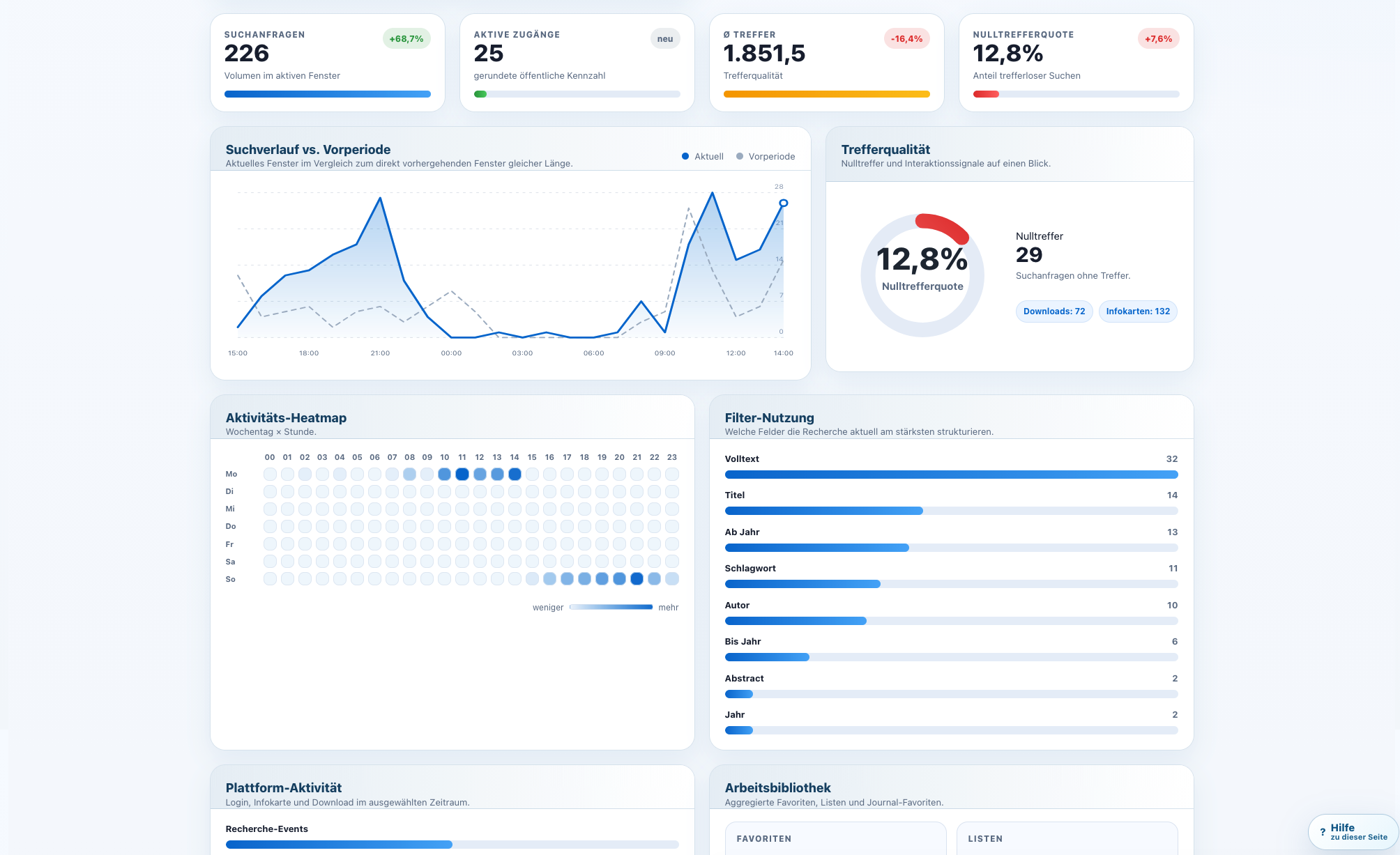
Statistiken zeigen Recherchen, Downloads, Aufrufe und Nutzungsmuster. Das hilft Bibliotheken, den Wert ihrer Lizenz intern klar zu belegen.
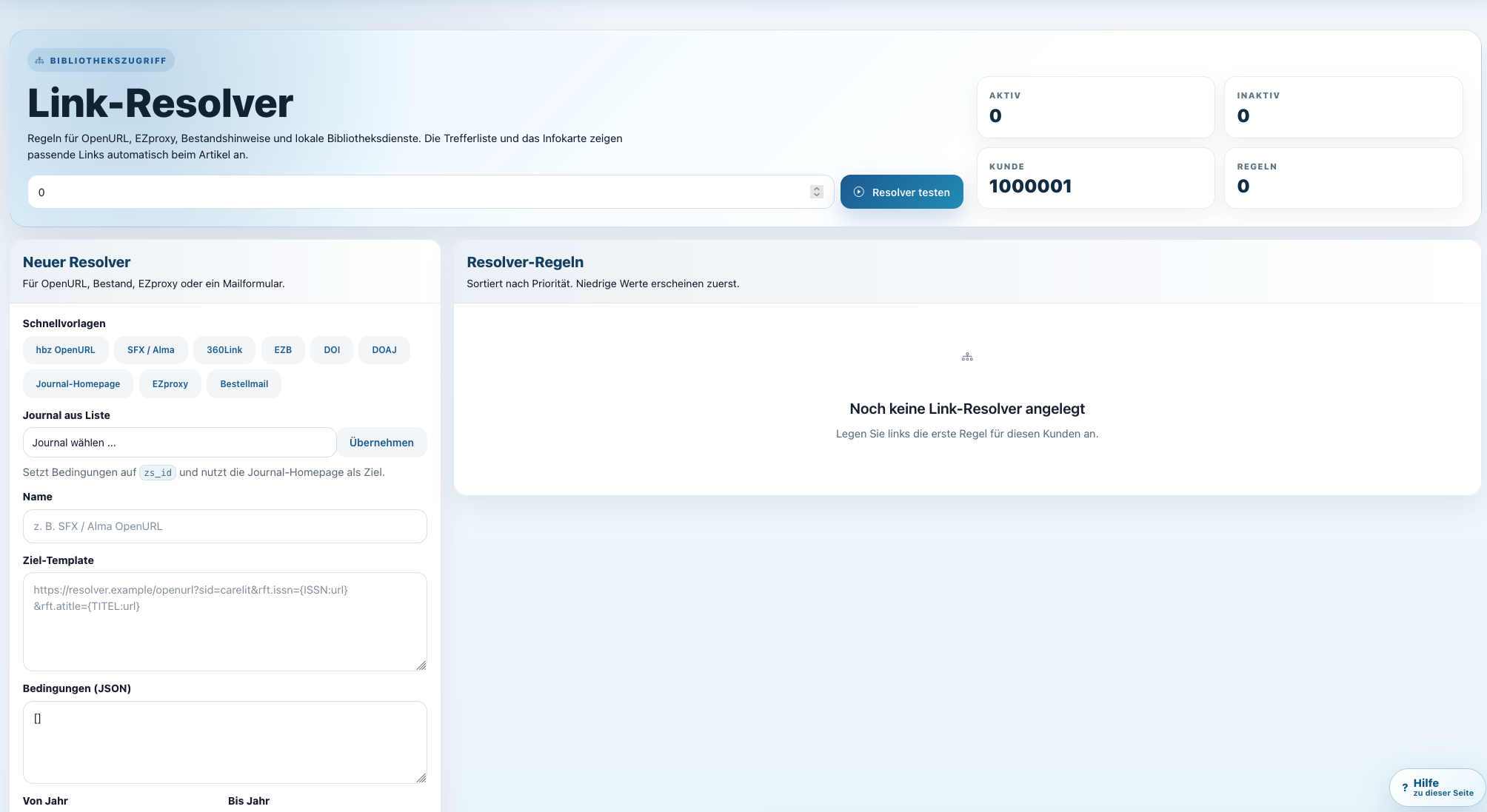
Resolver-Logik verbindet CareLit mit lokalen Beständen, Verfügbarkeiten und Beschaffungswegen. Nutzer:innen bleiben in einem nachvollziehbaren Workflow.
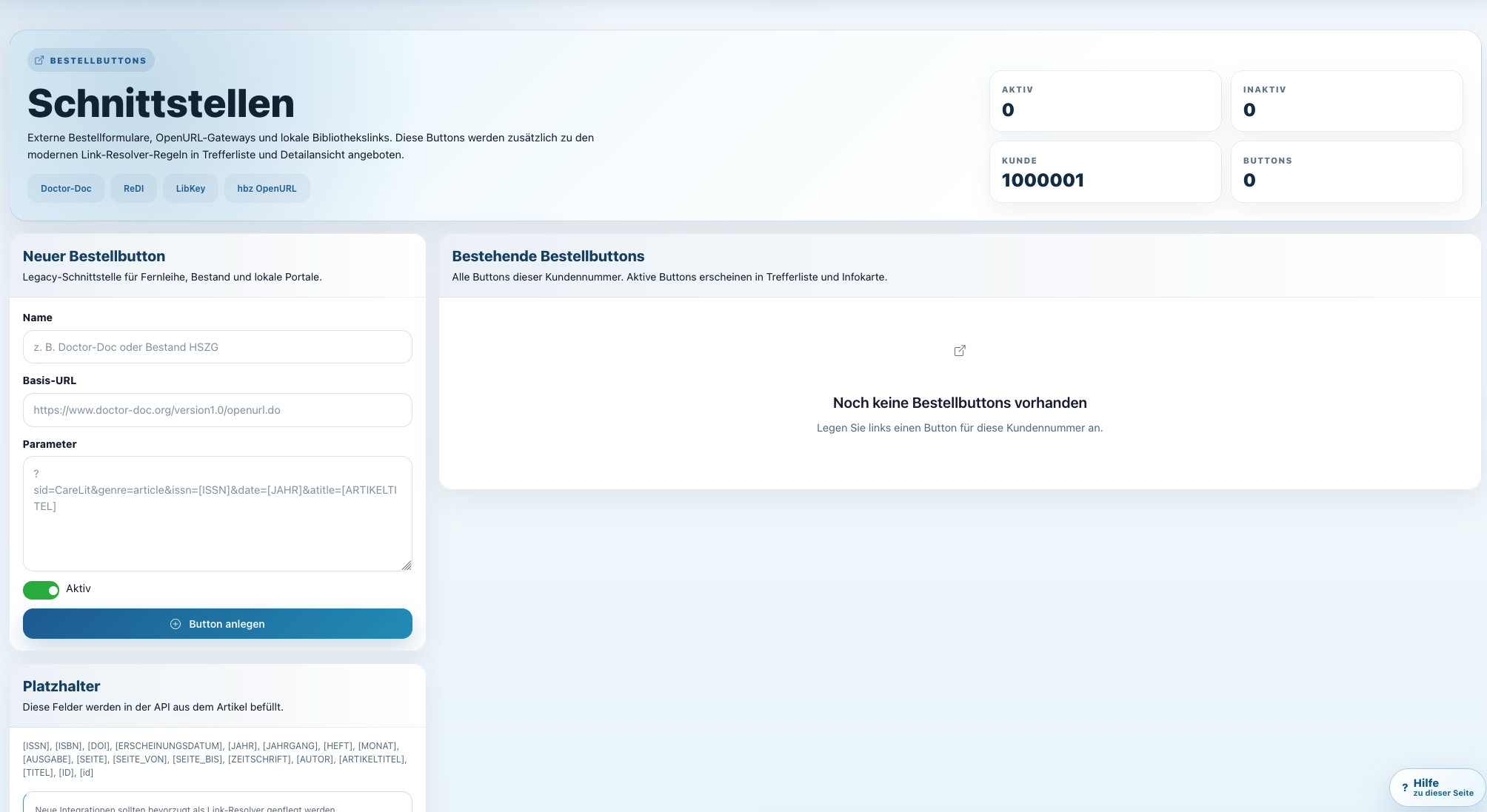
CareLit unterstützt institutionelle Schnittstellen und Integrationen. Das ist wichtig für moderne Bibliotheken, die nicht in Insellösungen arbeiten wollen.
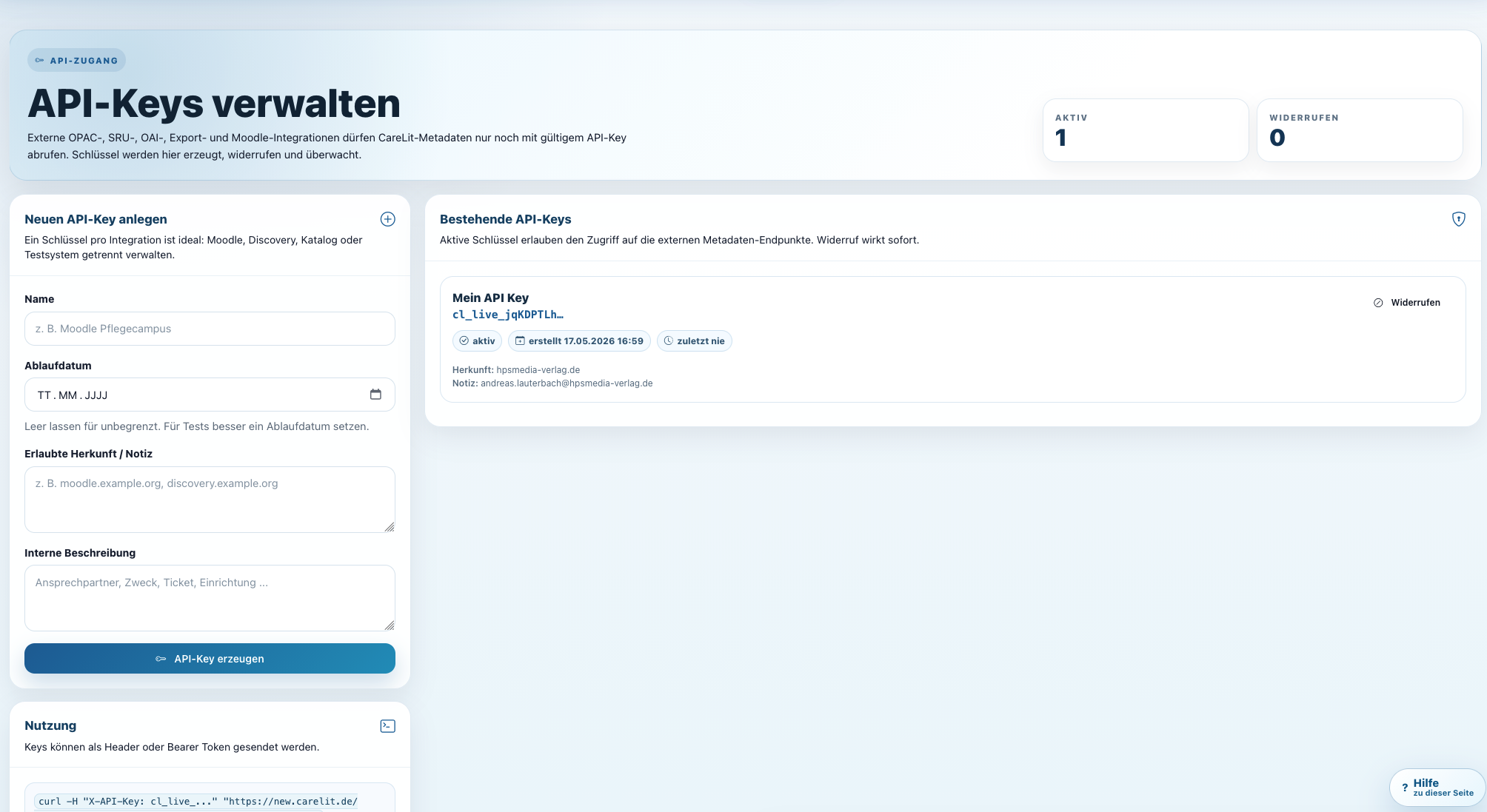
API-Zugänge ermöglichen kontrollierte technische Integration. Damit lässt sich CareLit in Portale, Lernräume und eigene Workflows einbinden.
CareLit soll nicht nur stark aussehen, sondern schnell verständlich werden. Interessenten, Bibliotheken und neue Nutzer:innen finden direkte Wege zu Handbuch, Beratung und Preiskalkulation.
Das Handbuch erklärt Recherche, Trefferbewertung, Infokarten, Downloads, Listen, Reader und die wichtigsten Arbeitswege direkt in CareLit.
Zum HandbuchDer Kurs führt neue Nutzer:innen Schritt für Schritt von der einfachen Suche bis zur strukturierten Literaturarbeit.
Zum RecherchekursDer Preiskalkulator hilft, den passenden Zugang für Einzelpersonen, Schulen, Hochschulen, Kliniken oder Einrichtungen zu finden.
Preis planenOb Einzelplatz, App-Zugang, Hochschulbibliothek, Klinik, Schule oder Verbund: CareLit bringt Fachliteratur, Volltexte, KI-Funktionen, Kurse und Administration in eine gemeinsame Oberfläche.